Every fleet software evaluation comes down to one question most buyers never ask: was this platform built for a laptop or for a phone? The answer determines everything downstream. 30-40% of fleet software implementations fail specifically because the mobile experience is desktop-first — technicians reject the tool within two weeks and revert to paper. Mobile-first platforms hit 80-94% technician adoption within 30 days versus 42% for enterprise desktop-heritage platforms. DVIR completion rates split similarly: 98% mobile-first vs 60% desktop-derivative. Technicians without a proper mobile tool lose 90 minutes per day to admin friction — walking to terminals, waiting for boots, retyping notes from clipboards. Mobile-first isn't a design preference. It's the architectural decision that determines whether your fleet software delivers ROI or becomes shelf-ware. Ready to evaluate whether your current software is mobile-first or desktop-first in disguise? Sign up free for Truck Inspection & Maintenance today — no credit card required and test a genuinely mobile-first platform on your own devices in low-signal conditions, or contact our support team for a personalized walkthrough tailored to your driver and technician count and current adoption rates.
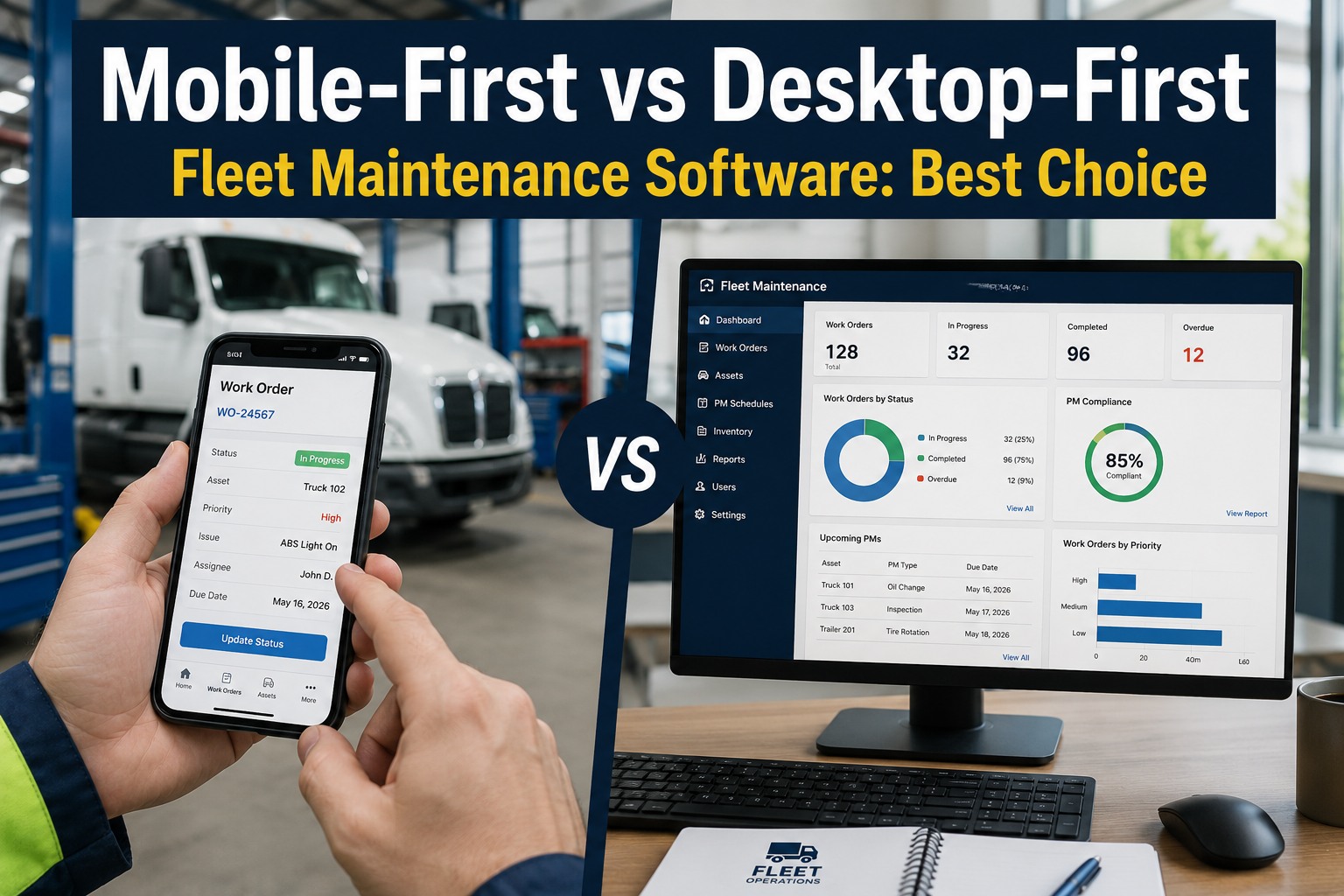
Mobile-First vs Desktop-First Fleet Maintenance Software: Best Choice
The device model of your fleet software decides everything downstream — DVIR completion rates, technician adoption, defect capture speed. Here's the architectural difference that determines ROI.
Head-to-Head — What Mobile-First Actually Means
The distinction isn't "does the app run on a phone" — every modern platform has some kind of mobile app. It's whether the mobile experience was the primary design target or a scaled-down afterthought. Here's the architectural comparison across 8 dimensions.
The Adoption Gap — Numbers That Decide ROI
The adoption rate isn't a soft metric — it directly determines whether the software delivers any of its claimed benefits. Here are the 6 measured differences between mobile-first and desktop-first fleet platforms.
Real-World Workflow — Same Task, Two Different Experiences
The abstract "adoption rate" numbers hide what's actually happening on the shop floor. Here's the same technician task on both platforms, minute-by-minute.
Test a genuinely mobile-first fleet platform on your own devices in low-signal conditions
Native iOS and Android app with full offline capability including write operations. QR code scanning to asset in under 2 seconds. One-tap photo per checkpoint. One-hand operation with thumb-reachable controls. Guided DVIR workflows completing in 10-15 minutes. Voice-to-text for hands-free notes. Desktop admin panel for reporting and configuration. Truck Inspection & Maintenance software was built mobile-first from the ground up — because 80-94% technician adoption in 30 days only happens when the app was designed for the field, not scaled down from a demo.
The 5 Non-Negotiable Mobile-First Features
Not every "mobile app" is genuinely mobile-first. Here are the 5 architectural features that separate real mobile-first platforms from desktop-derivative apps in disguise.
Frequently Asked Questions
Mobile-first fleet software was designed as a native mobile app from the ground up, with the desktop admin panel added later for reporting and configuration. Desktop-first (or desktop-derivative) software started as a desktop or web application, with a mobile app added later that essentially shrinks the desktop UI onto a phone screen. The architectural difference determines everything downstream: mobile-first platforms have true offline mode with full write operations, native camera integration for one-tap photo capture, QR code scanning to asset in under 2 seconds, one-hand thumb-only operation with 44px+ tap targets, and voice input for hands-free work in loud environments. Desktop-first platforms typically have read-only or partial offline mode, camera integration buried in menus, absent or unreliable QR scanning, small tap targets requiring two-hand precision, and typing-only input. The result: mobile-first platforms hit 80-94% technician adoption within 30 days versus 42% enterprise average for desktop-derivative platforms. 30-40% of fleet software implementations fail specifically because the mobile experience is desktop-first — technicians and drivers reject the tool within two weeks and revert to paper or WhatsApp. Truck Inspection & Maintenance software was built mobile-first from the ground up.
The single fastest test: ask the vendor to demonstrate their app in airplane mode with WiFi off. If the app requires a live internet connection to complete a work order, capture a photo, log parts consumption, or record a signature, it is not truly offline-capable — regardless of what the sales deck says. Most fleets operate in areas with unreliable cellular coverage at some point in the workday, and a platform that fails without connectivity forces technicians back to paper, breaking workflow and killing adoption within weeks. Additional test checklist: (1) Can the tech complete a full DVIR without touching a computer? (2) Does scanning a QR code load the full truck history in under 2 seconds? (3) Are primary workflows completable with one hand and one thumb? (4) Does the camera launch inline within the inspection form (not as a separate app switch)? (5) Can voice-to-text be used in the shop environment? (6) Do photos auto-attach with GPS and timestamp without manual metadata entry? If the answer to any of these is "no" or "kind of," the platform is desktop-derivative regardless of marketing claims. Every one of these is architectural — you can't add them later without rebuilding the app.
30-40% of fleet software implementations fail to achieve adoption specifically because the mobile experience is desktop-first — technicians and drivers reject the tool within two weeks and revert to paper or WhatsApp. Specific failure modes: (1) Small tap targets requiring two-hand precision that don't work with gloves; (2) Camera integration buried in menus requiring 5+ taps to capture a photo, so techs skip photo verification entirely; (3) DVIR forms that take 30-45 minutes to complete vs 10-15 minutes on mobile-first, so drivers rush through checkpoints; (4) Read-only offline mode that fails in the shop's low-signal corners, so techs walk to terminals or wait until the end of shift; (5) VIN search and dropdown-heavy navigation instead of QR scanning, adding minutes to every asset lookup; (6) Multi-tab workflow requiring desktop screen real estate that doesn't fit on a phone. The cascade effect: reduced adoption means reduced data capture means reduced compliance means reduced insight means the software delivers none of its claimed benefits. Fleets end up paying six figures per year for platforms that log a fraction of the work actually performed. Software ROI depends entirely on adoption. Platforms technicians don't use deliver zero value regardless of feature count.
The time savings compound across every role. Drivers: DVIR completion time drops from 30-45 minutes on paper or desktop-derivative apps to 10-15 minutes on mobile-first, while covering more checkpoints not fewer. Across a 50-driver fleet doing 250 workdays per year, that's 12,500-15,625 driver hours saved annually. Technicians: 90 minutes per day lost to administrative friction on desktop-tethered systems (walking to terminals, waiting for boots, retyping clipboard notes) drops to 15-25 minutes on mobile-first. Across a 6-technician shop across 250 workdays, that's 2,250+ hours per year of wrench time returned. Field data quality also improves: technicians without mobile tools lose over 90 minutes per shift to admin work while capturing less accurate data because notes are retyped from clipboards with omissions and interpretation errors. Mobile-first captures rich real-time data the moment a wrench turns. Combined with 40% MTTR reduction within 90 days of deployment and 40% unplanned downtime reduction from improved PM compliance, the total ROI typically runs 5-15× within the first year. Contact our team for a Truck Inspection & Maintenance ROI calculation specific to your fleet.
Yes — genuinely offline capability is the single most important capability distinction in mobile CMMS evaluation. Most fleet operations happen in environments where cellular coverage is unreliable: maintenance yards with metal-roofed bays that block signal, rural highway routes with dead zones, underground service pits, wash bays lined with metal, dispatch areas in basement offices. A platform that requires connectivity for core workflows fails at the exact moment of use. True offline capability means: create new work orders, edit existing ones, complete digital checklists, capture photos, log parts consumption, record digital signatures — all without any internet connection. Data stores locally on the device and syncs automatically when connection returns. Most platforms that claim offline functionality only support read-only access or limited sync without full work execution. The test: turn off your phone's data connection completely and complete a full work order — including photo capture, parts logging, and digital signature. If any step fails or shows an error, the platform is not truly offline-capable. Fleet operations that switched to true offline-first mobile CMMS report elimination of the "will it sync?" anxiety that plagued previous platforms — technicians work at their normal pace regardless of connectivity, and data always makes it back to the office.
Yes — every serious fleet platform needs both. But the design starting point determines everything. Mobile-first platforms have a native mobile app as the primary interface for drivers and technicians (who work in the field), with a desktop admin panel for reporting, configuration, and management tasks (which happen at a computer). Desktop-first platforms invert this: the desktop web application is the primary interface, and the mobile app is a scaled-down companion. The distinction isn't whether both interfaces exist — it's which one was designed first and which one is the compromise. Mobile-first is correct because 80%+ of the work happens in the field (drivers doing DVIRs at the truck, techs doing repairs in the bay, dispatch tracking trucks in real-time), while only 20% happens at a desk (financial reporting, PM template configuration, KPI review, executive dashboards). Optimizing the 80% for a genuinely field-friendly experience while providing a competent desktop admin panel is the correct architectural decision. Optimizing the 20% desktop experience while forcing the 80% to work on a scaled-down mobile interface is what causes 30-40% of implementations to fail. Try free: sign up here.
Truck Inspection & Maintenance software was designed mobile-first from the ground up
Native iOS and Android app with full offline write operations. QR scan to truck history in under 2 seconds. One-tap photo capture per checkpoint. One-hand thumb-only operation. Voice-to-text for hands-free notes. Desktop admin panel for reporting and configuration. Built for the field first — because 80-94% adoption only happens when the app was designed for the wrench.