When an electronic logging device fails, the hours-of-service rules don't pause — they hand you a protocol with a stopwatch attached. Federal regulation 49 CFR 395.34 doesn't treat a dead ELD as an excuse; it treats it as a triggering event that starts two separate clocks running, one for the driver and one for the carrier, with specific non-delegable duties on each. Get the protocol right and an officer cannot cite you for operating without an ELD. Get it wrong — no written notice, no reconstructed logs, nothing to hand over at the window — and a hardware failure becomes a recordkeeping violation, a driver out-of-service order, and civil penalties. The distance between those two outcomes is mostly paperwork completed in the first 24 hours. This guide covers what legally counts as a malfunction, the driver's three duties, the carrier's eight-day repair window, the extension process, what to produce at roadside, and how fleet compliance software keeps the documentation trail intact when a device goes down.
Compliance Guide · ELD Malfunctions · 2026
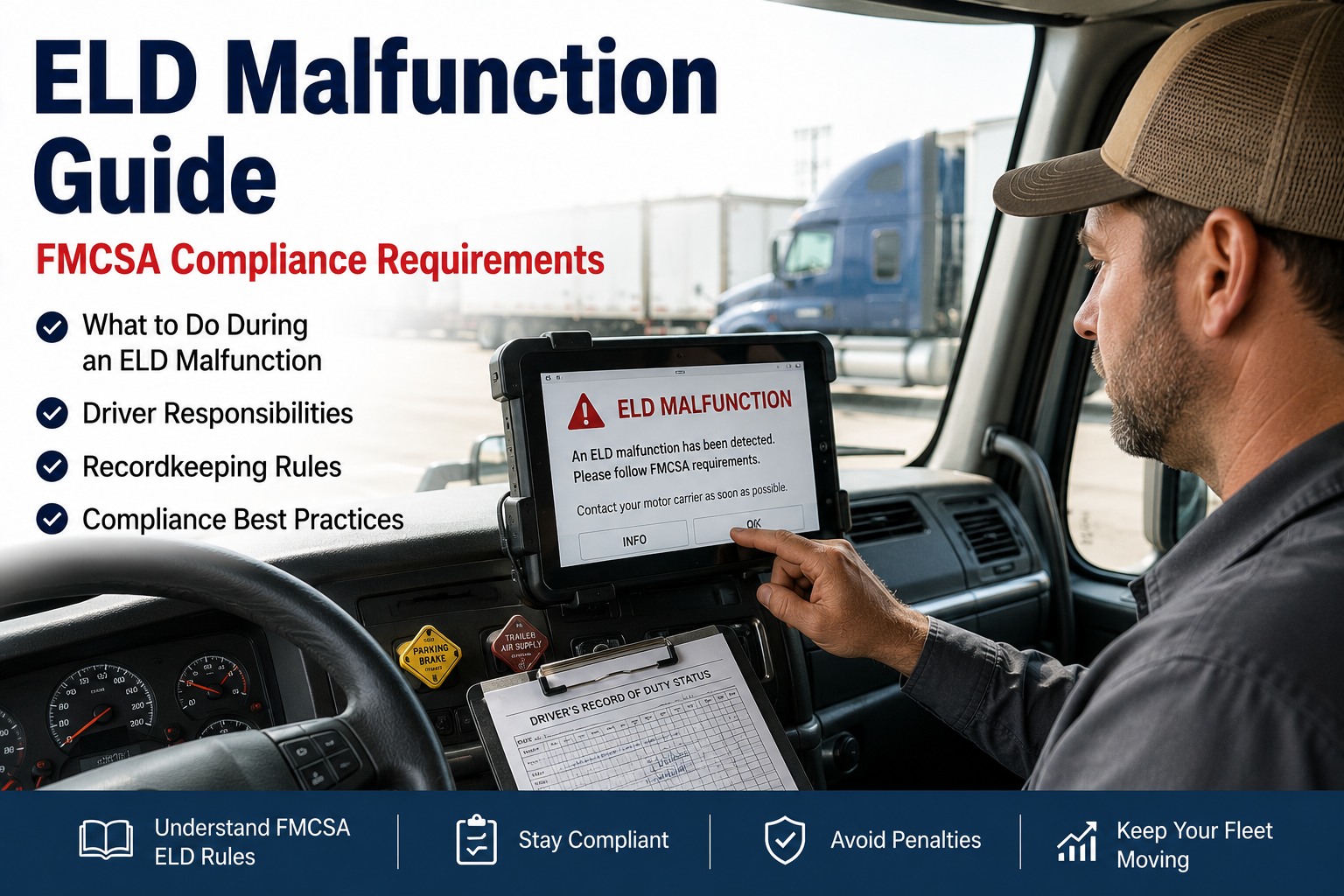
ELD Malfunction: What to Do
The protocol under 49 CFR 395.34 — the driver's duties, the carrier's repair window, and the documentation that turns a device failure into a non-event at roadside.
24 hrs
To give the carrier written notice of the malfunction
7 days
Of prior duty status to reconstruct on paper
8 days
For the carrier to repair or replace the device
5 days
To request an extension if 8 days won't do it
A Malfunction Doesn't Pause the Clock
The most expensive misunderstanding about ELD failures is treating them as a temporary exemption from logging. They aren't. Your hours-of-service obligations continue in full — the only thing that changes is the method of recording them:
"The device is down, so I'm covered"
Drivers sometimes treat a failed ELD as a gap they'll explain later. At roadside, an officer sees a driver with no record of duty status — which is a violation in its own right, regardless of why the device stopped working.
The failure starts a documented protocol
You switch to compliant paper logs, notify the carrier in writing, and reconstruct the prior week. Done properly, an officer cannot cite you for operating without an ELD — the protocol is your protection.
Malfunction or Data Diagnostic Event?
Not every alert on the screen carries the same obligations. The regulation distinguishes between the two, and knowing which you're looking at determines what you actually have to do:
The device can't record accurately
A genuine compliance failure — the ELD can no longer meet its technical requirements for recording hours of service. The full 395.34 protocol applies: written notice, paper reconstruction, manual logs until it's fixed.
A flagged condition the device resolves
Per FMCSA guidance, if the event doesn't hinder accurate hours-of-service recording and the ELD clears it itself, the additional reporting requirements under 395.34 don't apply — though genuine malfunctions still carry the notice and repair duties.
When in doubt, treat it as a malfunction: the cost of unnecessary paperwork is a few minutes; the cost of misclassifying a real malfunction is an out-of-service order and a violation on your record. If the device is producing questionable time, position, or duty-status data, document it and start the protocol.
The driver's three duties under 395.34(a)
These are stated in the regulation and they are not optional. Every one of them must happen, in order, starting the moment the malfunction is discovered.
Written notice within 24 hours
Note the malfunction and provide written notice of it to the motor carrier within 24 hours. Written means written — a verbal mention to dispatch doesn't satisfy the requirement, and this notice is what an auditor looks for later.
Reconstruct the current day plus 7
Reconstruct your record of duty status for the current 24-hour period and the previous 7 consecutive days on graph-grid paper logs meeting 395.8 — unless you already possess those records or they're retrievable from the ELD.
Keep manual logs until it's fixed
Continue manually preparing your record of duty status until the ELD is serviced and brought back into compliance. Paper logging doesn't stop when the device is shipped for repair — it stops when a compliant device is back in the truck.
The Two Clocks
A malfunction starts two separate countdowns that run in parallel. Missing either one creates exposure, and they don't start at the same moment:
24 hours
From discovering the malfunction, to get written notice to the carrier. The paper reconstruction and manual logging begin immediately and continue throughout.
8 days
To repair, replace, or service the device — measured from the carrier's own discovery of the condition or the driver's notification, whichever occurs first.
Note which clock starts first: the carrier's eight days run from discovery or notification, whichever comes first — so if the fleet's monitoring flags a device before the driver reports it, the repair window has already begun. That's an argument for treating device health as something the back office watches, not something it waits to hear about.
If Eight Days Isn't Enough
The regulation anticipates that some repairs take longer, but the relief has to be requested properly and quickly:
File within 5 days of the driver's notice
The extension request goes to the FMCSA Division Administrator and must be made within five days of the driver notifying the carrier of the malfunction.
Sign it and include the specifics
The request must be signed by the carrier and identify the device make, model, and serial number, plus the date and location the malfunction was reported.
Describe the good-faith effort
Include a concise statement of the actions taken to repair, replace, or service the units, and why additional time beyond the eight days is genuinely needed.
You're compliant while it's pending
A carrier whose request meets the requirements is deemed in compliance while FMCSA decides, provided the driver and carrier keep meeting every other obligation under 395.34.
Free · Up to 3 Vehicles
Keep the paper trail a malfunction demands
Fleet compliance software logs the malfunction notice with a timestamp, tracks the eight-day repair window against the device and vehicle, and keeps the whole record retrievable — so when an auditor asks whether the driver notified you and what you did about it, the answer is a document rather than a recollection. Sign up free for up to 3 vehicles and document device failures properly from the first hour.
At Roadside During a Malfunction
This is where the protocol proves itself. Under 395.34(b), a driver inspected during a malfunction must hand over the manually kept records — and what's in that stack decides the outcome:
Produce compliant paper RODS
Graph-grid logs meeting 395.8 for the current day and prior seven
Duty status changes, total mileage, and shipping document numbers
Co-driver identification where applicable
A written note of the malfunction on the log
Any records the ELD produced before it failed
Gaps an officer can act on
No paper logs, or logs that don't meet 395.8 standards
Inability to account for the previous seven days
No documented malfunction notification to the carrier
Continuing to run on a device known to be non-compliant
Paper logging beyond the permitted window without an extension
The protocol is the defense: an officer cannot cite a driver for operating without an ELD when the malfunction protocol has been properly followed and documented. Conversely, a driver who can't produce compliant paper records or account for the prior week can be placed out of service under the North American Standard Out-of-Service Criteria — for a paperwork failure, not a driving one.
Common Malfunction Types
Knowing what the device is actually reporting helps you describe it accurately in the notice and the extension request:
Timing compliance
The ELD can no longer keep its clock synchronized with Coordinated Universal Time within an absolute deviation of 10 minutes.
Positioning compliance
The device fails to acquire a valid position measurement within 5 miles of the vehicle moving, and 60 minutes have elapsed.
Power compliance
The ELD isn't powering up and recording properly when the vehicle's engine is running, losing duty-status data.
Data recording & transfer
The device can't record or retain required events, or can't transfer records to an authorized safety official on demand.
2026: Revoked Devices Are a Different Problem
A device that's working perfectly can still put you out of compliance if FMCSA removes it from the registered list — and this has become a live issue, with a steady stream of devices revoked since early 2025:
Stop using it immediately
A revoked device is not a compliant ELD, regardless of whether it still functions. Drivers must switch to paper logs or approved logging software right away.
60 days to replace
Carriers using a revoked device generally have a 60-day window to move to a compliant alternative before drivers face citation and out-of-service exposure.
Verify before you install
Confirm any replacement unit appears on the current FMCSA-registered ELD list before it goes into service — swapping one non-compliant device for another solves nothing.
Check the list periodically
Registration status can change after purchase. Building a periodic check into your compliance routine is the only way to catch a revocation before an inspector does.
Frequently Asked Questions
What must a driver do when an ELD malfunctions?
Three things under 49 CFR 395.34(a): note the malfunction and give the motor carrier written notice within 24 hours; reconstruct the record of duty status for the current 24-hour period and the previous 7 consecutive days on graph-grid paper logs meeting 395.8, unless you already have those records or they're retrievable from the device; and continue preparing manual records of duty status until the ELD is serviced and back in compliance.
How long does the carrier have to fix it?
Eight days, measured from the carrier's discovery of the condition or the driver's notification — whichever occurs first. If more time is genuinely needed, the carrier must request an extension from the FMCSA Division Administrator within five days of the driver's notification, with the request signed and including device details and a description of good-faith repair efforts. Contact our team about tracking device compliance windows.
Can I be cited for driving with a malfunctioning ELD?
Not for operating without an ELD, provided the malfunction protocol has been properly followed and documented. That's precisely why the paperwork matters. But if you can't produce compliant paper logs, can't account for the previous seven days, or there's no documented malfunction notification to the carrier, an officer may place you out of service under the North American Standard Out-of-Service Criteria.
What's the difference between a malfunction and a data diagnostic event?
A malfunction means the device can no longer meet its technical requirements for accurately recording hours of service, which triggers the full 395.34 protocol. A data diagnostic event is a flagged condition — and per FMCSA guidance, where the event doesn't hinder accurate hours-of-service recording and the ELD clears it itself, the additional reporting requirements under 395.34 don't apply. When it's unclear, document it and follow the protocol.
How long can I run paper logs?
During a properly documented malfunction, until the ELD is serviced and returned to compliance — with the carrier under the eight-day repair obligation, extendable only through an approved FMCSA request. Separately, drivers who use paper records of duty status for 8 days or fewer in any 30-day period fall outside the ELD requirement entirely. Running paper beyond the permitted window without an exemption or extension is treated as having no record of duty status.
What happens if my ELD gets revoked?
It stops being a compliant device even if it still works. Drivers must stop using it immediately and move to paper logs or approved logging software, and carriers generally have a 60-day window to install a compliant replacement before drivers face citation and out-of-service exposure. Verify that any replacement appears on the current FMCSA-registered list, and check registration status periodically rather than assuming it holds. Sign up free to keep compliance records in one place.
Document It, and It's a Non-Event
Turn a device failure into paperwork, not a violation.
Fleet compliance software timestamps the malfunction notice, tracks the eight-day repair window per device and vehicle, and keeps the full record retrievable for audits and roadside questions. The difference between a hardware problem and a regulatory one is documentation completed in the first 24 hours. Free for up to 3 vehicles. Works with your existing fleet, no contracts.