A $5 transformer bushing gasket doesn't matter — until a storm knocks out power to 40,000 homes and the one truck that can restring the line is grounded waiting for it. Utility fleets live at this extreme: a bucket truck or digger derrick sidelined for a missing hydraulic seal kit isn't just downtime, it's a neighborhood that stays dark longer and a mutual-aid crew that can't roll. Yet most utility parts operations still run on spreadsheets spread across three yards, where the load line your lineman needs sits 30 miles away and a duplicate order goes out instead. This guide compares what to look for in utility fleet parts inventory software — critical-spares control, vendor management, and bulk uploads for hundreds of SKUs — and how the right platform, like Truck Inspection & Maintenance software, ties every part to the truck and work order that consumed it.
Buyer's Guide · Utilities Fleet · 2026
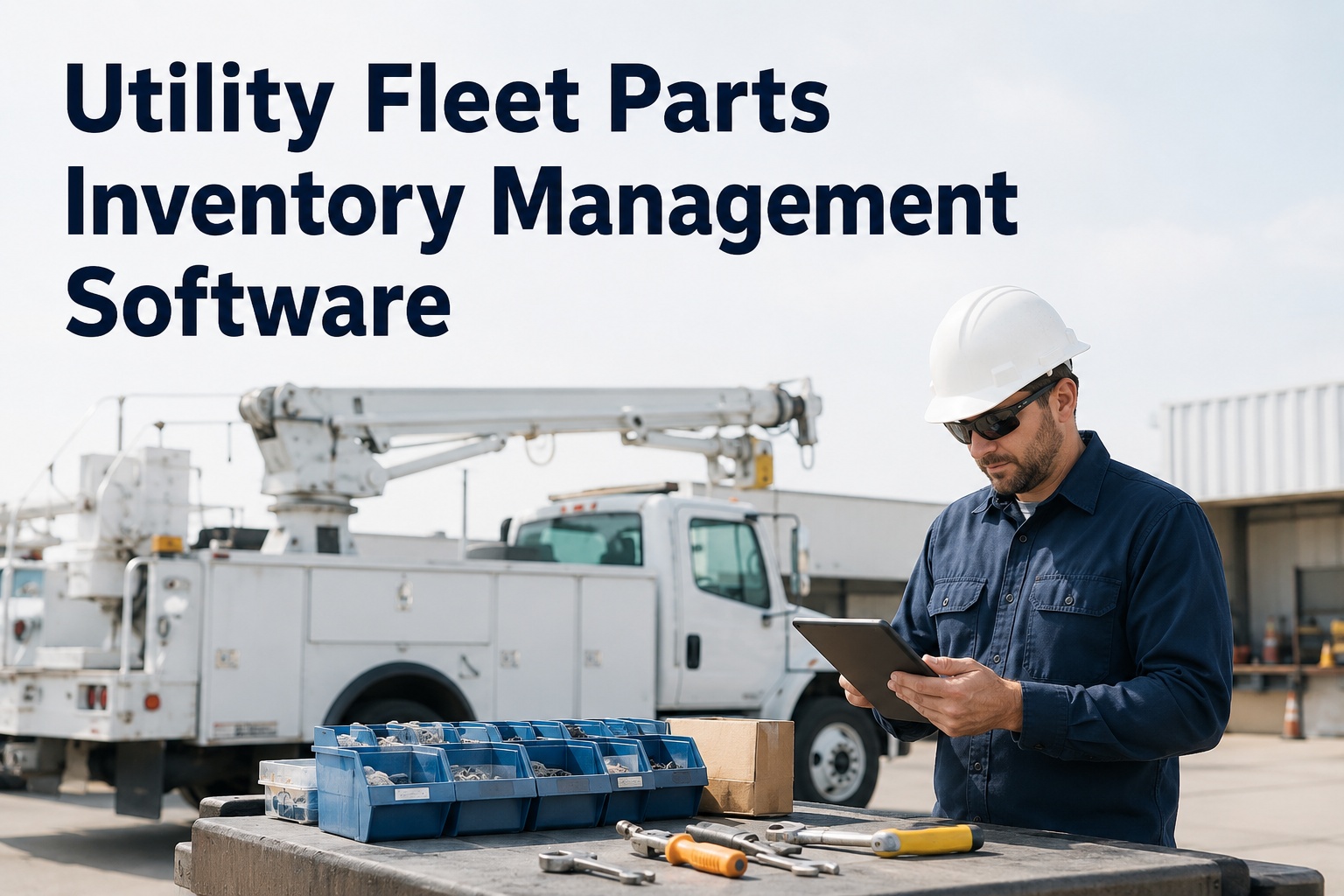
Utility Fleet Parts Inventory Management Software: 2026 Buyer's Guide
Critical spares, vendor management, and bulk Excel uploads for hundreds of SKUs — the capabilities that keep bucket trucks and digger derricks storm-ready, and how the top platforms compare.
70-80%
Of parts value sits in just 10-20% of SKUs
47%
Fewer stockouts after leaving spreadsheets
30-40%
Lower inventory carrying costs
$2-$30K
Component value range on a single truck
Why Utility Parts Management Is Different
Generic warehouse tools weren't built for a fleet of insulated aerial devices. Utility parts management carries constraints that a filter-and-fluids inventory never sees — and software that ignores them leaves crews stranded when it matters most:
Storm-critical availability
When restoration capacity is measured in trucks that can roll, a missing load line or hydraulic seal kit directly delays power coming back on.
Safety-critical components
Bucket liners, dielectric parts, and boom components aren't commodities — they protect linemen around energized lines and carry ANSI A92.2 stakes.
Multi-yard distribution
Crews and stock spread across service centers. Without portfolio visibility, one yard reorders what another already has on the shelf.
OEM-specific SKUs
Altec, Terex, and Versalift parts by unit and serial number. Hundreds of SKUs per fleet demand bulk loading, not one-at-a-time entry.
Stock Smart: The ABC of Utility Spares
Not every part deserves the same strategy. ABC analysis — the foundation most fleets skip — classifies parts by value and criticality so you invest where it counts and stop hoarding commodity stock:
Critical Spares
10-20% of parts · 70-80% of value
Load lines, hydraulic pumps, dielectric components, boom parts. Carry 2-4 weeks of stock — a single missing A item can idle a truck. Never let your top-20 failure parts hit zero.
PM Consumables
Moderate value & usage
Filters, seal kits, hydraulic fluid, hoses, Nylaflow tubing. Carry 1-2 weeks. Tie reorder points to actual usage velocity, not a fixed guess.
Commodity
High volume · low value
Hardware, fasteners, outrigger pads, shop supplies. Bulk-stock these — the carrying cost is trivial and the stockout cost is a wasted trip to the counter.
The reorder-point formula that ends guesswork: Minimum = (Average Daily Usage × Lead Time) + Safety Stock. When on-hand hits the minimum, the system auto-generates a purchase order. Good software runs this per SKU from real consumption data — and lets you set tighter safety stock on the A items you can't operate without.
The 6 Capabilities to Compare
Every vendor claims to do parts. These are the six capabilities that actually separate a utility-grade platform from a glorified spreadsheet — score each one before you buy:
Critical-Spares Control
Min/max thresholds with push alerts the moment an A item dips below the line. Flag utility-critical parts so they never surprise you mid-storm.
Vendor Management
Supplier profiles with pricing history, last-paid price, and fill-rate performance. Compare vendors before every order; track warranty dates for claim recovery.
Bulk Excel Upload
Load hundreds of SKUs from a spreadsheet in one import, not one row at a time. The single biggest setup friction — and where slow tools lose fleets.
Work-Order Linkage
Parts deduct from stock when consumed on a work order, with cost logged to the specific truck. A standalone inventory app that doesn't link to work is dangerous.
Multi-Yard Visibility
Portfolio view across every service center, per-location reorder rules, and one-click transfers. Kills the duplicate-purchasing that bleeds distributed fleets.
Mobile & Barcode / QR
Scan a bin to issue a part — no typing part numbers. Works offline in weak-signal back bays and syncs on reconnect. Field-usable or it won't get used.
Free · Up to 3 Vehicles
Load your whole parts list in minutes
Truck Inspection & Maintenance software brings critical-spares alerts, vendor pricing history, bulk Excel upload for hundreds of SKUs, and work-order-linked consumption into one platform — with mobile barcode scanning that works offline in the yard. Sign up free for up to 3 vehicles and import your spreadsheet in one pass.
How the Top Platforms Compare
The utility parts market splits into three platform types. Picking the right category matters more than the vendor name — here's how they stack up on what utility fleets actually need:
Fleet-Native CMMS
Best overall fit
Parts tied to vehicle records, work orders, and PM schedules. Barcode scanning, multi-yard pooling, bulk upload, and inspection integration in one system.
Strength: Every part connects to the truck and job that used it.
General Warehouse / Inventory Apps
Simple but siloed
Easy visual inventory with photos and QR codes. Fast to start, but not a CMMS — no work-order link, so consumption tracking breaks.
Watch-out: A standalone app can't tie parts to asset criticality.
Enterprise MRO / ERP
Powerful, heavy
Deep procurement logic and ERP integration for the largest utilities. Robust, but long rollouts, steep learning curves, and premium pricing.
Watch-out: Months of configuration before value; overkill for many fleets.
The numbers on getting this right are hard to ignore: fleets that move from spreadsheets to a dedicated parts platform report roughly 31% lower carrying costs, 47% fewer stockouts, and requisition cycles compressed from days to minutes. The savings land hardest for multi-yard operations, where duplicate purchasing is the largest hidden cost.
Storm-Ready Stocking
Utility parts strategy has a season no other fleet shares. When a forecast firms up, restoration speed is decided by what's already on the shelf. The parts that win storms are common wear items — pre-staged, not scrambled for:
Spare load lines — digger derricks and material handlers take heavy wear placing poles and lifting transformers.
Hydraulic fluid, filters & seal kits — field-fitting hose kits that don't require crimping handle on-site leaks.
Bucket liners & dielectric parts — the insulation that keeps crews safe near energized lines.
Safety kit consumables — grounds, flags, lighting, and PPE staged in a mobile parts trailer at the central point.
Software that flags these as critical spares with min/max alerts means a mobile parts trailer leaves the yard stocked — not half-empty because no one noticed the load lines ran low three jobs ago.
Frequently Asked Questions
What makes utility fleet parts software different from generic inventory?
Utility software has to handle safety-critical and storm-critical components — bucket liners, dielectric parts, load lines, hydraulic kits — with min/max alerts that treat an A item like the life-or-death spare it is. It also links parts to specific OEM units (Altec, Terex, Versalift) by serial number and manages stock across multiple service yards. Generic warehouse apps miss the asset-to-part link and the criticality tiers.
How should I decide what to stock?
Use ABC analysis: A items (critical spares) are 10-20% of parts but 70-80% of value — carry 2-4 weeks; B items (PM consumables) 1-2 weeks; C items (commodity) bulk-stocked. Set reorder points with the formula (Average Daily Usage × Lead Time) + Safety Stock, and keep your top-20 failure parts from the last year always in stock — they cover most unplanned demand.
Can I bulk-upload hundreds of SKUs from Excel?
Yes — and you should insist on it. Loading parts one row at a time is the biggest setup friction for a utility fleet with hundreds of SKUs across bucket trucks and digger derricks. Truck Inspection & Maintenance software imports your existing spreadsheet in one pass, so onboarding takes minutes instead of weeks. Contact our team to see the bulk import on your parts list.
Why does work-order linkage matter so much?
A standalone inventory app that doesn't connect to work orders is dangerous — parts go missing when a tech grabs one in a hurry and forgets to log it. When consumption deducts automatically as parts are issued to a work order, counts stay accurate, cost is logged to the specific truck, and you build the usage history that powers smart reorder points.
How much can the right software save?
Fleets moving off spreadsheets report about 31% lower carrying costs and 47% fewer stockouts, with requisition cycles dropping from days to minutes. For utilities running multiple service yards, the biggest win is eliminating duplicate purchasing — buying a part one location already has on the shelf.
Does it work offline in the yard?
The best mobile apps do. Back bays and remote service centers often have weak signal, so scans, withdrawals, and parts-to-work-order links should queue offline and sync the moment the device reconnects. That reliability is what keeps techs actually using the system in the field. Sign up free to test it in your shop.
Stock Right. Roll Ready.
Never idle a bucket truck for a missing part again.
Truck Inspection & Maintenance software gives utility fleets critical-spares alerts, vendor pricing history, bulk Excel upload for hundreds of SKUs, multi-yard visibility, and work-order-linked consumption — so every truck is storm-ready and every part is accounted for. Free for up to 3 vehicles. Live in 10 minutes. No hardware, no contracts.