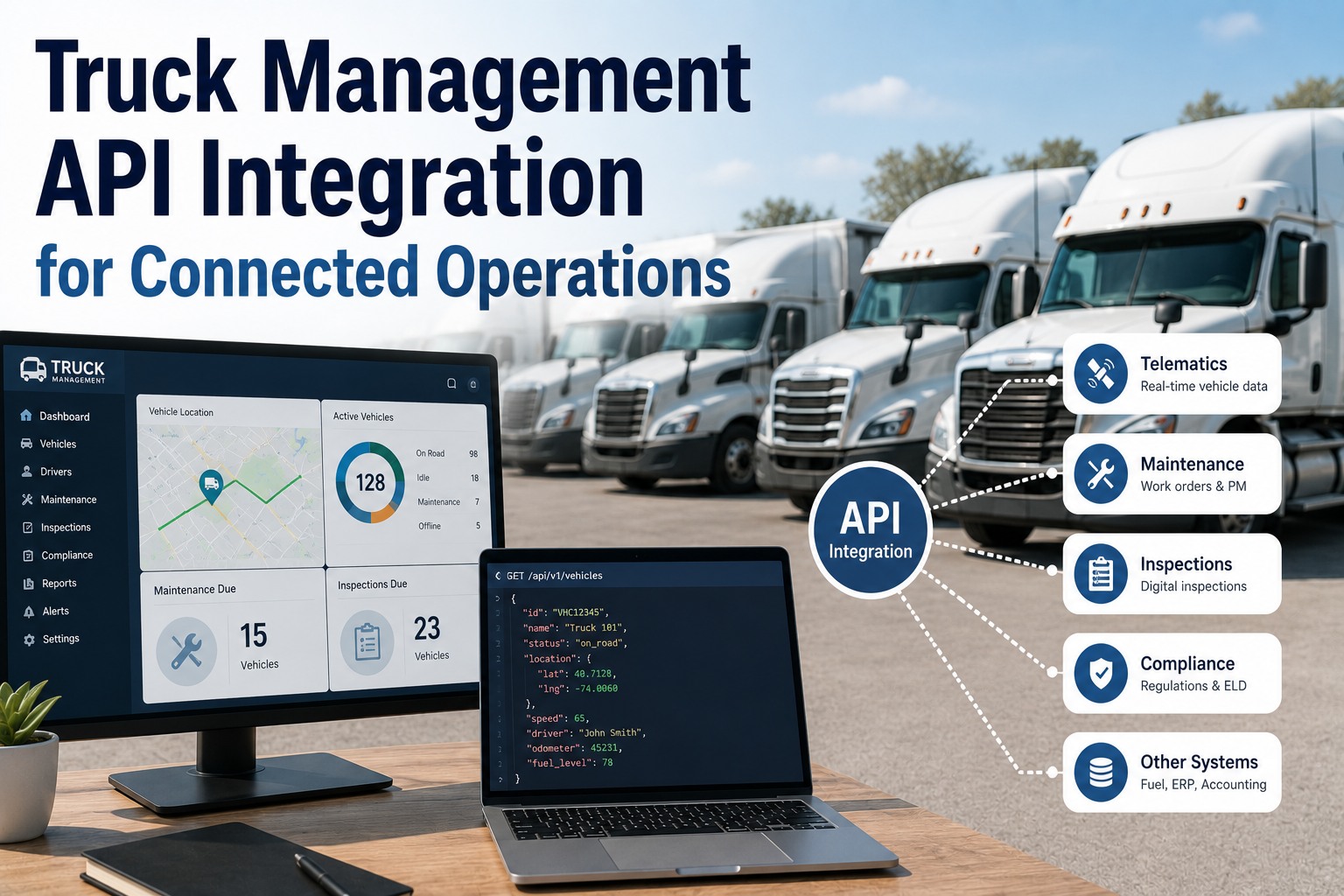
Every fleet platform claims it "integrates." The word does a lot of hiding. Sometimes it means a real REST API with webhooks and a sandbox; sometimes it means a nightly CSV export and a support ticket. The difference matters enormously, because the moment your maintenance data can't reach your TMS, your BI tool, or the custom app your ops team lives in, someone starts retyping — and every one of those manual bridges is a place where data goes stale, wrong, or missing. Building those bridges from scratch runs $5,000 to $50,000 per integration in custom development. Get an API key free. The Truck Inspection & Maintenance API takes the other approach: a fully documented RESTful interface over the complete data model — vehicles, work orders, inspections, DVIRs, fault codes, parts, fuel, compliance records — readable and writable, with webhooks for real-time events and a sandbox that mirrors production. This page is the practical tour: what's exposed, how auth works, when to use webhooks versus polling, and what to expect from the limits.
Truck Management API Integration for Connected Operations
A RESTful, fully documented API over your entire fleet data model. Read and write vehicles, work orders, inspections, DVIRs, fault codes, and costs — subscribe to events with webhooks, test in a sandbox, and ship your first call in under 30 minutes.
{
"vehicle_id": "TRK-0412",
"source": "fault_code",
"code": "P0299",
"severity": "urgent",
"odometer": 84120,
"assign_to": "shop_north"
}
The Whole Data Model, Not a Highlight Reel
The test of a fleet API isn't whether it exists — it's whether the thing you need is actually exposed. Every resource in the platform is reachable through a clean, consistent endpoint, and most of them are writable, not just readable.
Webhooks or Polling: Pick Per Job
Not all data deserves the same transport. Hammering an endpoint every minute to ask "anything new?" is how you burn your rate limit and still find out late. Events push; datasets pull. Use both.
Subscribe once and receive a signed HTTP callback the instant an event fires. No wasted calls, no delay.
Query on your schedule for bulk reads and reconciliation, using pagination and incremental sync to stay inside the limits.
Auth in Four Steps
Token-based, standards-based, and nothing exotic. From registration to a successful call is a short trip — most developers are through it in half an hour.
Or Skip the Code Entirely
Most fleets never touch the API, because the integrations they need are already built — telematics, ELDs, fuel cards, QuickBooks, TPMS, BLE tags. The API is there for the cases nobody could have pre-built: your TMS, your BI stack, the internal tool your ops team refuses to give up. Use the pre-built connectors for the common path and the API for the last mile.
What Teams Actually Build
The API earns its keep on workflows that are specific to how you operate — the ones no vendor could have anticipated.
Pipe engine faults from any provider straight into work orders, scored and assigned by your own rules.
Push mileage from your tracking system so preventive maintenance fires on real usage, not estimates.
Auto-generate POs the moment inventory drops below your reorder point — no one watching a stock report.
Fan completed job costs out to your accounting system and data warehouse in the same event.
Built to Be Evaluated
Buyers judge fleet APIs on a short, specific list. Here's where this one lands on each.
Request parameters, response schemas, error codes, and live examples — first successful call in under 30 minutes.
Signed HTTP callbacks on fleet events, so you build event-driven workflows instead of polling loops.
Published, predictable limits with pagination and incremental sync so bulk reads don't throttle you.
A full test environment mirroring production, so integrations are proven before they touch live data.
Telematics, ELD, fuel cards, and accounting already done — the API covers what's left, not everything.
Free tier, sandbox access, and full docs. No sales call required to make your first call.
Get a key →Frequently Asked Questions
Essentially the complete data model: vehicles and assets, work orders, inspections and DVIRs, fault codes, meter and odometer readings, parts and inventory, fuel transactions, driver records, and compliance documents. Most resources are bi-directional, so you can both pull data into your systems and push changes back in — creating work orders, updating odometers, closing out defects. That write capability is what separates automation from reporting: a read-only API builds dashboards, a write-capable one actually runs workflows. Start a free trial and get a key.
Both, for different jobs. Use webhooks for events — a critical fault code, a failed inspection, a PM coming due, a compliance document about to expire. You subscribe once and receive a signed HTTP callback the instant it happens, which means no delay and no wasted calls. Use polling for datasets — nightly cost reconciliation, BI warehouse loads, backfills, full inventory pulls — where you want data on your schedule and can use pagination and incremental sync to move volume efficiently. The anti-pattern is polling an endpoint constantly to detect events; that burns your rate limit and still finds out late. Talk through your architecture.
Usually not. Custom API development typically runs $5,000 to $50,000 depending on complexity, which is worth avoiding when a pre-built connector already covers the job. Telematics and ELD platforms, fuel cards, TPMS, BLE tags, and QuickBooks all connect without code. The right approach is to start with the integrations that eliminate the most manual work — telematics for vehicle data, fuel cards for expense tracking, accounting for financial automation — and reach for the API only where nothing pre-built exists, like your TMS, a BI stack, or an internal tool. Start free with the pre-built connectors.
Authentication is token-based and standards-based. You generate an API key scoped to the permissions your integration needs, then pass a bearer token on each request over TLS — credentials never travel in the request body. Webhook payloads are delivered as signed callbacks so your endpoint can verify they genuinely came from us rather than a spoofed source. Scoping matters: an integration that only needs to read meter readings shouldn't hold write access to work orders, and keys can be issued narrowly and rotated without disturbing other integrations.
Yes — a full sandbox environment mirrors production exactly, so you can build and test an integration end to end without any risk to real records. That's where you verify data formatting, endpoint reliability, error handling, and throttling behavior, and simulate the scenarios that matter: a telemetry stream, a maintenance trigger, a work order status update. When it's ready, you point at the production base URL; the schema and responses are identical. Most developers go from registration to first successful call in under 30 minutes, and the sandbox is what makes going live uneventful. Start free and open the sandbox.
Your Fleet Data, Wherever You Need It
The Truck Inspection & Maintenance API gives you clean REST access to the whole data model — read it, write it, subscribe to it. Pre-built connectors handle telematics, fuel, and accounting out of the box; the API handles everything unique to how you run. Full docs, a real sandbox, and a first call in under thirty minutes.