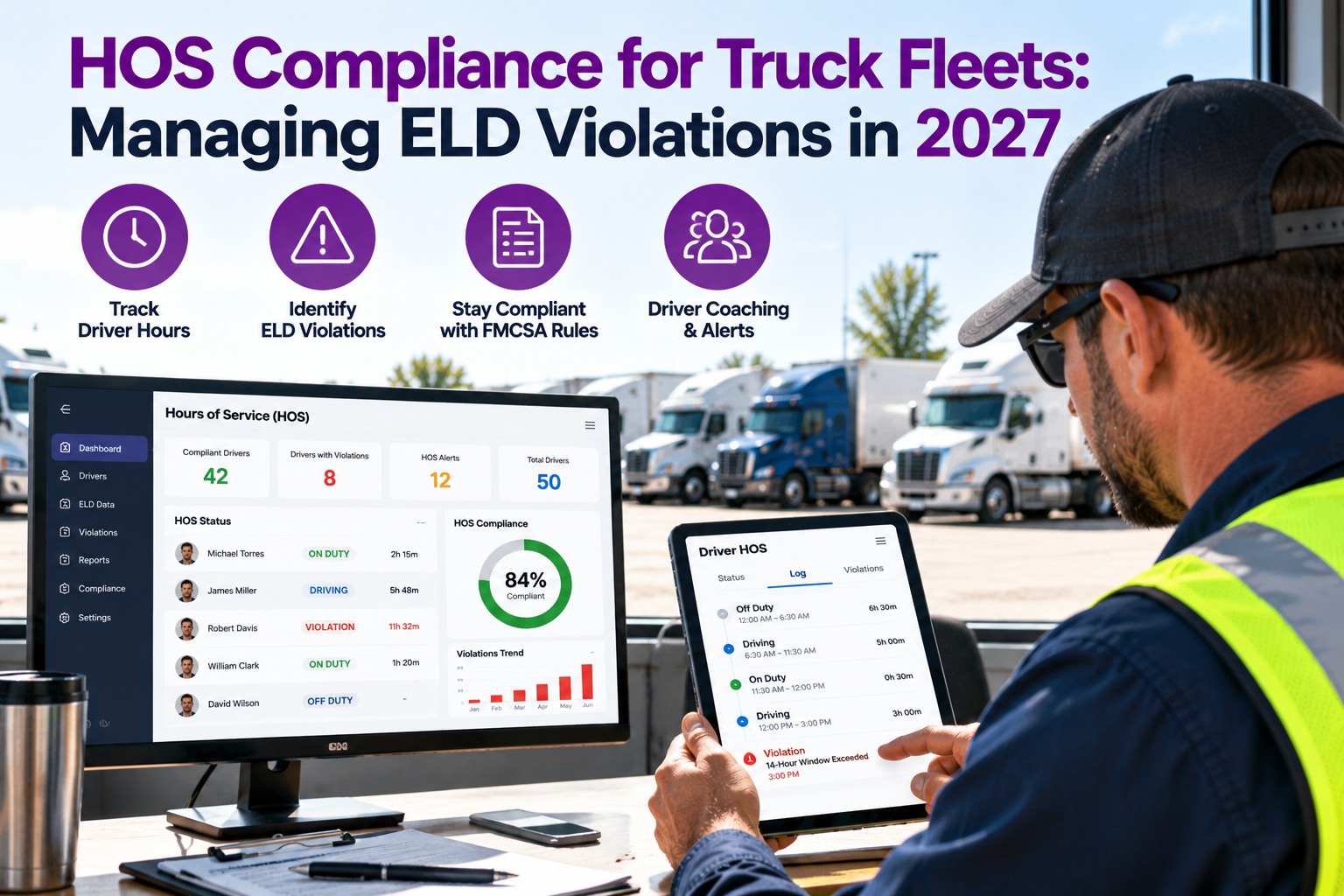
A driver is 40 minutes from the delivery when the ELD flashes a warning: 45 minutes left on the 14-hour window. This morning the tractor sat in the bay for two and a half hours because a pre-trip defect was found at dispatch instead of the night before. Hours-of-service violations are usually blamed on the driver. Many start earlier, with delays that burn the clock before the wheels turn. This guide covers the core HOS limits, the violation patterns to watch, how to triage ELD alerts, a simple coaching workflow, and where Truck Inspection & Maintenance Management Software (TIM) fits: not as your ELD, but as the system that keeps vehicle problems from eating your drivers' hours. Start free and catch vehicle defects before dispatch.
HOS · ELD Alerts · Coaching · Vehicle-Side Compliance
HOS Compliance for Truck Fleets: Managing ELD Violations in 2027
Your ELD records the hours. It can't stop a late-found defect or a surprise breakdown from burning them. TIM finds and fixes vehicle problems on a schedule, so drivers keep their clocks for driving.
11 hrsdriving limit within a duty period
14 hrson-duty window that keeps running
60/70 hrsweekly cycle limit (7 or 8 days)
The Core Limits at a Glance
These are the rules most ELD alerts are built around for property-carrying drivers. Know them cold so coaching conversations stay specific.
11Driving limitUp to 11 hours of driving after 10 consecutive hours off duty.
14Duty windowNo driving past the 14th hour after coming on duty. Off-duty time inside the window does not stop it.
30BreakA 30-minute break is required once 8 cumulative hours of driving have passed without one.
70Weekly cycle60 hours in 7 days or 70 in 8, depending on the carrier. A 34-hour restart resets it.
General summary of 49 CFR Part 395 for property-carrying drivers. Exceptions apply. Confirm current rules with FMCSA before building policy on this page.
Where the Clock Really Goes: One Day, Two Versions
The 14-hour window does not pause for repairs. Here is the same shift with and without a defect discovered late (illustrative).
The 14-hour window (illustrative, not real data)
Planned day
Pre-tripDrivingBreakDrivingSlack
Late-found defect
Pre-tripRepair waitDrivingBreakDrivingOver
Bar lengths are illustrative. The point: time lost to repairs comes out of the same 14-hour window the driver needs to finish the run.
Defects found the night before, or caught by a scheduled PM, cost the driver nothing. Defects found at 6 AM cost clock. Book a demo to see how defects reach the shop right after the inspection.
Six Violation Patterns Worth Watching For
Look for patterns across drivers and lanes, not just single events. Each pattern below has a usual cause you can act on.
Driving past 11 hoursUsual causeLate loads, long unloading waits, no buffer in the plan.
Driving after the 14-hour windowUsual causeDelays at the dock or shop that were not counted at dispatch.
Skipped 30-minute breakUsual causeDrivers unaware the 8-hour clock is cumulative driving, not elapsed time.
Weekly cycle exceededUsual causeBack-to-back long weeks, with no restart planned.
Unassigned drivingUsual causeDrivers not logged in, or unit moved without a driver assigned.
Personal conveyance misuseUsual causeUnclear policy on what counts as personal use of the truck.
These are common patterns, not ranked data. Use your own ELD violation reports to see which ones show up in your fleet.
Take Repair Delays Out of the HOS Equation
Start a free trial and log a real pre-trip finding. TIM routes the defect to your shop right away and keeps the repair on the truck's record, so fixes happen before dispatch instead of after.
Triaging ELD Alerts: Three Speeds
Not every alert is equal. A clear ladder tells dispatch what to do and when.
Act nowLimit is close or being crossedDispatch contacts the driver and adjusts the plan: reroute, hand off or find a safe place to stop.
Right away
Same dayA violation has happenedRecord the cause, check for log errors, and speak with the driver before the next shift.
Within the day
WeeklyPatterns across drivers or lanesReview which routes, customers and shifts keep producing alerts, and fix the plan, not just the person.
Weekly review
A Four-Step Coaching Workflow
Coaching works when it is short, specific and followed up. Use the same steps every time.
1Review the factsPull the log and the dispatch plan before the conversation.
2Ask what happenedDelay, plan or habit? Listen before you coach.
3Fix the causeAdjust the load plan, the shop schedule or the driver's habit.
4Follow upCheck the next few shifts and record the outcome.
Exceptions: Know Them, Don't Lean on Them
Exceptions exist for real situations. Treat each one as a documented, reviewable decision.
ExceptionIn plain terms
Adverse driving conditionsLimited extra driving time when unexpected weather or road conditions arise.
Short-haulRelaxed logging and window rules for qualifying local operations.
Personal conveyanceOff-duty personal use of the truck, under specific conditions.
Yard movesMovement on private property, recorded with the correct status.
Sleeper-berth splitSplitting required rest into two qualifying periods.
Each exception has conditions and limits. Check the current FMCSA text before relying on one.
What TIM Does, and Does Not Do, for HOS
TIM is inspection and maintenance software. It is not an ELD and does not record or edit driver hours. It covers the vehicle side of the same audit.
Your ELD
- Driver duty status and hours
- HOS alerts and violations
- Log edits and annotations
TIM
- Digital inspections and DVIRs with photos
- Defects graded, assigned and verified
- PM schedules and per-truck service history
Used together, driver records and vehicle records tell one consistent story in an audit or roadside review.
Frequently Asked Questions
Does TIM replace my ELD?
How do maintenance problems cause HOS violations?
A repair delay counts against the driver's 14-hour window. A late-found defect or a breakdown leaves less time to finish the run, which can push a driver toward a violation. Finding defects early and keeping PMs on schedule reduces those delays.
What is the first thing to check after a violation?
Do HOS rules change?
Yes, FMCSA updates and pilot programs can change details. Always check current FMCSA guidance before updating policy.
Found early · Fixed on schedule · Recorded
Give Your Drivers Their Clock Back
Truck Inspection & Maintenance Management Software keeps vehicle problems from eating driver hours. Start free to log your first inspection, or book a demo to see how it works alongside your ELD.
No credit card required. Free for up to 3 trucks.