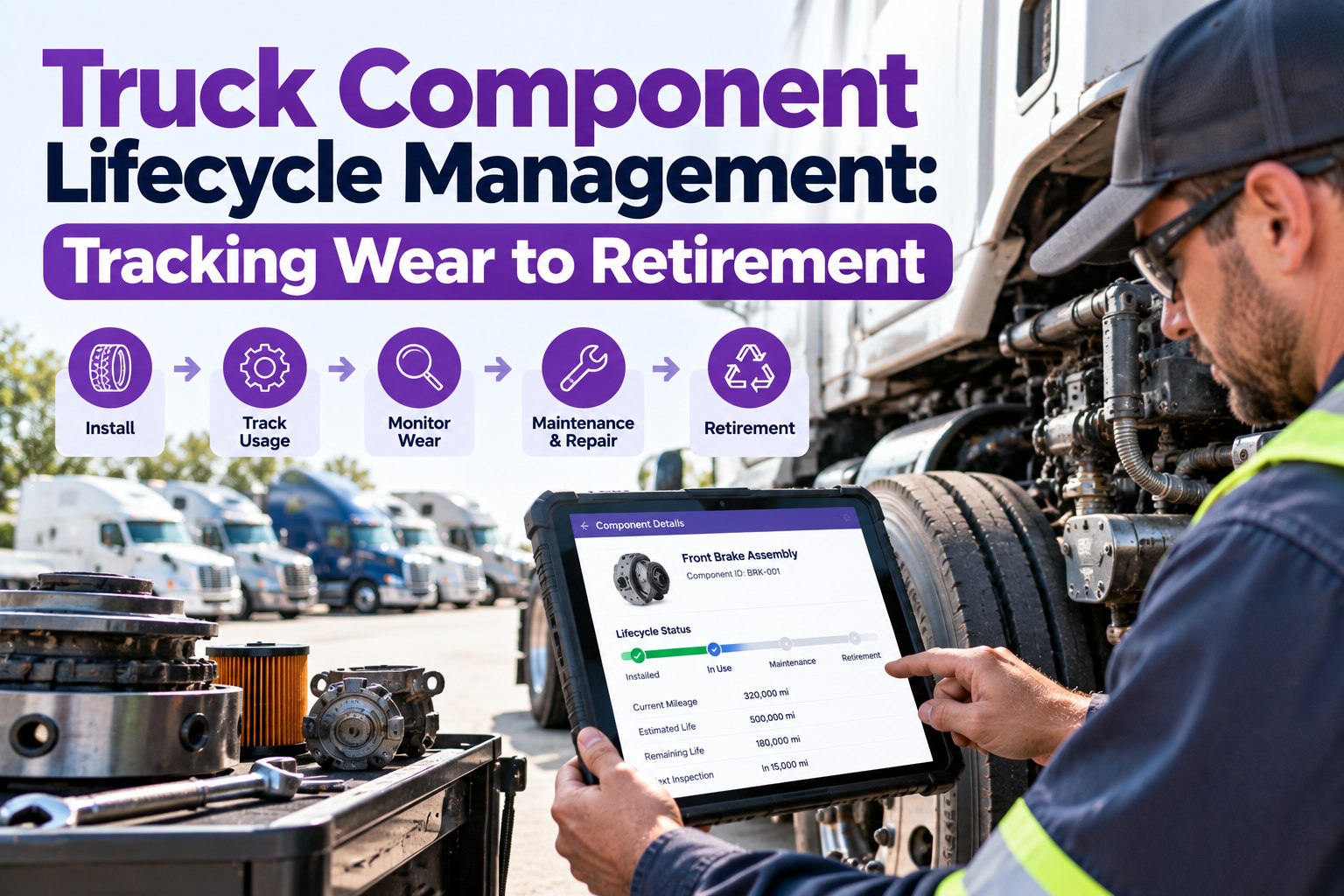
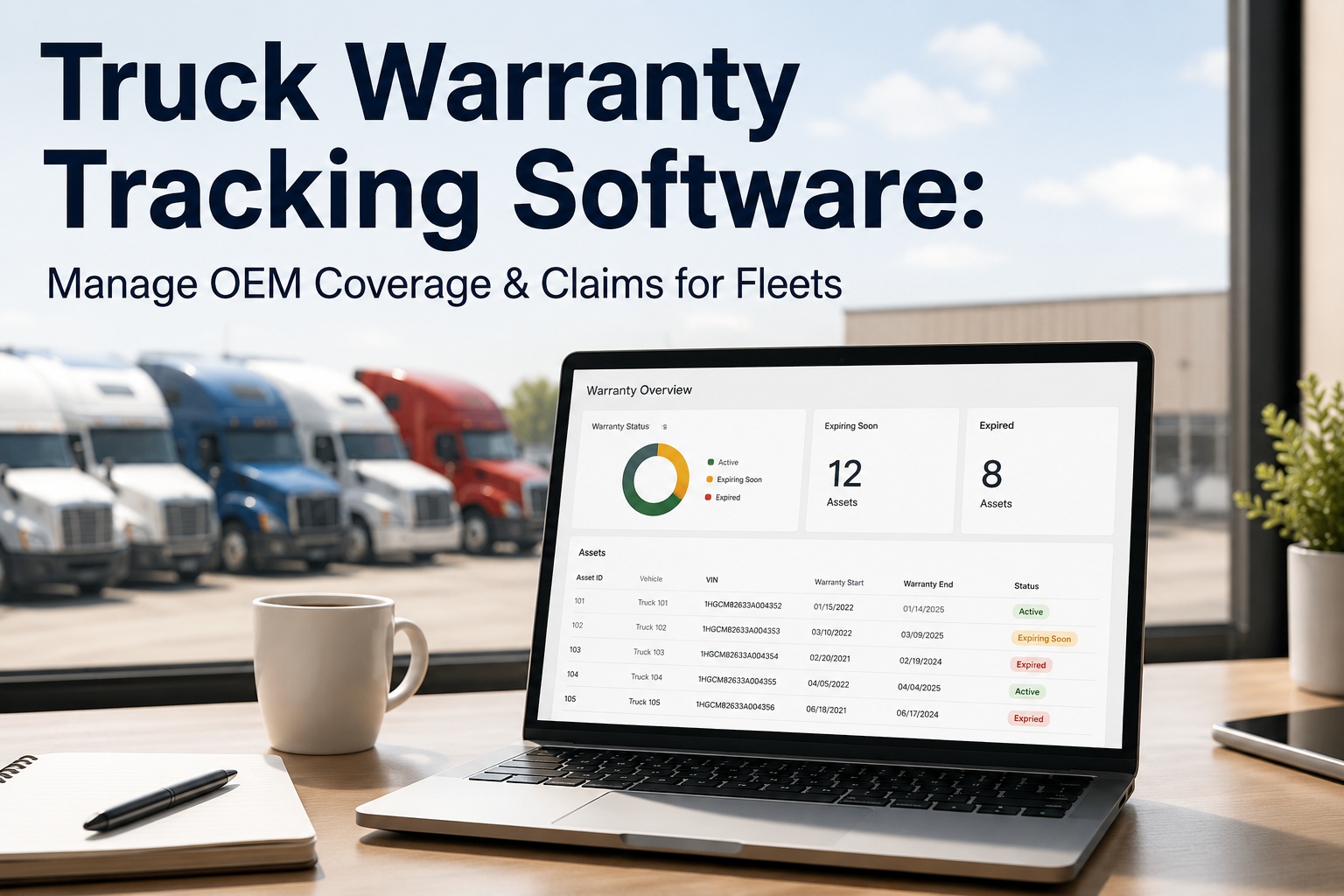
Most fleets know how old their trucks are. Very few know how old the water pump, the brake set, or the turbo inside each truck is — when it went on, what it cost, how long it should last, or how many times it's already been replaced. That blind spot is expensive: warranty-covered parts get re-bought because nobody logged the install date, a component on its third failure in a year gets swapped again instead of investigated, and trucks get retired on a hunch instead of on the numbers. Component lifecycle management fixes that by treating every major part as its own tracked asset, from install to retirement. This guide covers the lifecycle stages, what to record per component, and how to make the repair-versus-replace call on data — with Truck Inspection & Maintenance Management Software (TIM) keeping the record. Start free and track every major component with TIM.
TIM · Component Lifecycle
You Track the Truck. Do You Track the Parts Inside It?
A truck is a collection of components, each with its own install date, expected life, and cost history — and most fleets track none of it below the vehicle level. Without that record you re-buy parts still under warranty, miss the component failing for the third time, and guess at when a truck has earned retirement. TIM gives every major part its own lifecycle record — install to retirement — tied to the unit, so replacement is a planned decision backed by numbers, not a reaction to the next breakdown.
One component · its whole life on record
1Installed
→
2In service
→
3Maintained
→
4Declining
→
5Retired
Know where every major part sits on this line — not just how old the truck is.
Why Track Components, Not Just Trucks
Vehicle-level records answer "how old is this truck." They can't answer the questions that actually control cost — and those questions live at the component level.
◷
Warranty money left unclaimed
A part replaced under warranty is free — but only if someone knows it's still covered. Without an install date and warranty record, fleets pay for parts the supplier owed them.
↻
The repeat failure nobody sees
A component on its third replacement in a year is a pattern, not bad luck. Track it at the part level and the pattern surfaces; track only the truck and it hides.
◎
Retirement on a hunch
Deciding when a truck is done takes component cost history. Without it, retirement is a gut call — too early wastes value, too late bleeds repair spend.
The Five Stages of a Component's Life
Every major part moves through the same arc, and each stage needs a different action from the fleet. Managing a component means knowing which stage it's in — and catching the move into decline before it becomes a failure.
01
Install / acquisitionThe part goes on. Record the date, the mileage and engine hours at install, the cost, the supplier, and the warranty terms — the baseline everything else measures against.
02
In serviceThe component does its job. Its accumulated miles and hours tick up against its expected life, and its PM schedule runs.
03
MaintainedService, adjustments, and minor repairs keep it in spec. Each one is logged against the part, building the cost history that later decisions rest on.
04
DecliningRepairs get more frequent, performance slips, cost per mile climbs. This is the stage to catch — it's the window to plan replacement instead of waiting for failure.
05
Retired / disposedThe part comes off at end of life, by plan. Its full history stays on record — informing the life expectancy of the one that replaces it.
The whole point is to act in stage four, not react in stage five. Contact our team to flag components entering decline in TIM.
What to Record on Every Component
A lifecycle record is only as good as the data behind it. For each major part, these are the fields that turn a component into a managed asset — captured at install and built on through its life.
Install date & meter
When it went on, and the odometer and engine hours at that moment — the clock its life runs on.
Cost & supplier
What it cost and who supplied it, so cumulative spend and sourcing patterns are visible.
Warranty terms
Coverage window and limits, so a covered failure is a claim, not a purchase.
Expected life
Rated miles, hours, or time — the benchmark the part is tracking against.
Service history
Every repair and adjustment logged to the part, building its true cost of ownership.
Position & unit
Which truck and which position, so a part moved between units keeps its history.
A Component Record Is Only Useful If It's Attached to the Part
Fleets that keep this in a spreadsheet lose it the moment a part moves trucks or a tech forgets to log an install. TIM keeps each component's lifecycle on the unit's record: install date and meter captured when the part goes on, every repair logged against it, warranty flagged so a covered failure never gets re-bought, and the accumulating cost visible against its expected life. When a part enters decline, it shows — and the replace-or-retire call has the numbers behind it.
Repair, Replace, or Retire — On Data, Not a Hunch
The payoff of lifecycle tracking is a clean decision at the end. When a component acts up, the record answers the only question that matters: is it worth keeping? Use measurable thresholds, not intuition.
REPAIR
Keep it running
Cumulative cost is still well under the part's value, failures are isolated, and it's inside expected life. Fix it and move on.
REPLACE
Swap the component
Repairs are getting frequent or costly and the part is near end of life, but the truck around it has plenty left. Replace the part, keep the unit.
RETIRE
Let the truck go
Multiple major components are in decline at once and the truck's total repair spend is overtaking its value. The unit has earned retirement.
◆
The one threshold that decides it
The foundational test is cumulative repair cost against remaining value. When what you're spending to keep a component — or a whole truck — running starts to overtake what it's worth, the economics have flipped from repair to replace. Tracking cost per mile at the component level is what tells you the moment that line is crossed, instead of finding out after a year of over-spending.
Which Components Earn Their Own Record
Not every bolt needs a lifecycle file — but the major, costly, wear-driven components do. These are the parts where tracking pays for itself the first time it prevents a re-buy or catches a repeat failure.
◉
Engine & turboThe highest-value component on the truck — install, overhaul, and repair history here drives the retirement call.
⚙
Transmission & clutchMajor cost, long life, warranty-sensitive — exactly the part a lifecycle record protects.
◑
Brakes & drumsWear-driven and safety-critical, replaced often enough that repeat-failure patterns matter.
◍
Tires by positionTracked per position, each with its own install meter, wear rate, and rotation history.
▦
Batteries & electricalPredictable life, clear warranty windows — a classic part re-bought when the date isn't logged.
◒
Aftertreatment & DPFExpensive, warranty-heavy, and prone to repeat issues — a component that rewards close tracking.
How TIM Runs It
Every Major Part, Install to Retirement
TIM turns the truck record into a set of component records — each part tracked on its own clock, with its history feeding the decisions that control fleet cost.
Per-component recordsEach major part carries its own install date, meter, cost, and warranty — tied to the unit and position.
Service logged to the partEvery repair attaches to the component, so cumulative cost and repeat failures are visible, not buried.
Warranty flagsCoverage windows surfaced at failure, so a part still under warranty becomes a claim, not a purchase.
Life-against-expected viewAccumulated miles and hours tracked against the part's rated life, so decline is caught early.
Cost-per-mile signalsThe running number that flags when repair cost is overtaking value — the retire-or-replace trigger.
History that follows the partMove a component to another truck and its record goes with it — no lost lineage.
Frequently Asked Questions
What is component lifecycle management?
It's tracking each major part on a truck as its own asset across its whole life — from the day it's installed, through its time in service and the repairs it needs, into decline, and finally to planned retirement. Instead of only knowing how old the truck is, you know the age, cost history, warranty status, and remaining life of the engine, transmission, brakes, tires, and other major components inside it. That component-level view is what lets a fleet reclaim warranty, catch parts that keep failing, and time replacement on numbers rather than guesswork.
Start free and give every major part a lifecycle record with TIM.
Why isn't vehicle-level tracking enough?
Because the decisions that control cost happen below the vehicle. A truck record tells you the unit's age and total spend, but it can't tell you that the water pump is on its third replacement this year, that the turbo is still under warranty, or that brake cost per mile on one unit is double the fleet norm. Those are component facts, and they're exactly what drive repair-versus-replace calls, warranty recovery, and retirement timing. Tracking only at the vehicle level means those signals are averaged away, so you find out about a problem part after you've paid for it several times over.
What should I record when a part is installed?
Capture the baseline the rest of the part's life measures against: the install date, the odometer reading and engine hours at install, the cost, the supplier, the warranty terms, and the part's expected life in miles, hours, or time. Note which truck and which position it went on, too, so the record stays intact if the part is later moved to another unit. That baseline is what makes everything downstream possible — warranty claims, cost-per-mile tracking, and the decline signal all reference the install data, so a missing install record leaves the component effectively untracked.
How do I decide whether to repair, replace, or retire?
Use the component's own numbers against measurable thresholds instead of intuition. Repair when cumulative cost is still well below the part's value, failures are isolated, and it's within expected life. Replace the component when repairs are getting frequent or costly and it's near end of life but the truck around it has plenty of service left. Retire the whole truck when several major components are declining at once and total repair spend is overtaking the unit's value. The foundational test across all three is cumulative repair cost versus remaining value — once what you're spending passes what the asset is worth, the economics say move on.
Which components are worth tracking individually?
The major, costly, wear-driven, or warranty-sensitive parts — not every fastener. Engines and turbos, transmissions and clutches, brakes, tires by position, batteries and electrical, and aftertreatment components like the DPF are the usual candidates, because each is expensive enough, replaced often enough, or warranty-heavy enough that a lifecycle record pays for itself the first time it prevents a re-buy or surfaces a repeat failure. A good rule of thumb is to give a component its own record whenever its cost, its failure frequency, or its warranty value would make forgetting its history an expensive mistake.
Install · Service · Decline · Retire — On Record
Manage the Parts, and the Truck Takes Care of Itself
A fleet's cost isn't really in its trucks — it's in the thousands of components inside them, each with a life nobody's tracking. Give every major part its own record, watch it move through service into decline, reclaim the warranty you're owed, and make the replace-or-retire call on cost against value instead of a hunch. That's the difference between reacting to failures and planning around them. TIM keeps every component's lifecycle on one record, so the numbers make the decision.
No credit card required · Free for up to 3 trucks · Per-component records, warranty flags, and cost-per-mile tracking built in