Every fleet inspection app on the market claims to "digitize DVIRs." Most of them just put the clipboard on a screen — same 30-line form, now typed instead of handwritten, still ignored by dispatch and still ambiguous to the shop. The features that separate a working inspection platform from a digital clipboard aren't the ones vendors put on their homepage — they're the workflow decisions that determine whether a defect logged at 6 a.m. is fixed by lunch or still sitting in a queue on Friday. This is what to look for. Start free and see the features that actually change how the fleet runs.
Fleet Inspection Software · Features · Buyer's Guide
What Actually Separates Working Fleet Inspection Software From a Digital Clipboard
The best inspection platform isn't the one with the longest feature list — it's the one where the DVIR a driver files at 6 a.m. becomes a graded work order before the mechanic's first coffee. Truck Inspection & Maintenance Management Software is built around the workflow, not the form: guided mobile pre-trip, auto-graded defects, live dispatch visibility, and a signed audit trail that stands up in 2026.
Guidedmobile DVIR in CDL-examiner order
Connecteddefect → work order → dashboard, live
Audit-readysigned, retained, exportable eDVIR
The 10 Features That Actually Matter
Cut through the marketing and the real short-list is small. A working fleet inspection platform does ten things well; a digital clipboard does maybe three of them, badly. Here's what to look for — and why each one matters more than the demo makes it sound.
01
📱
Guided mobile DVIR
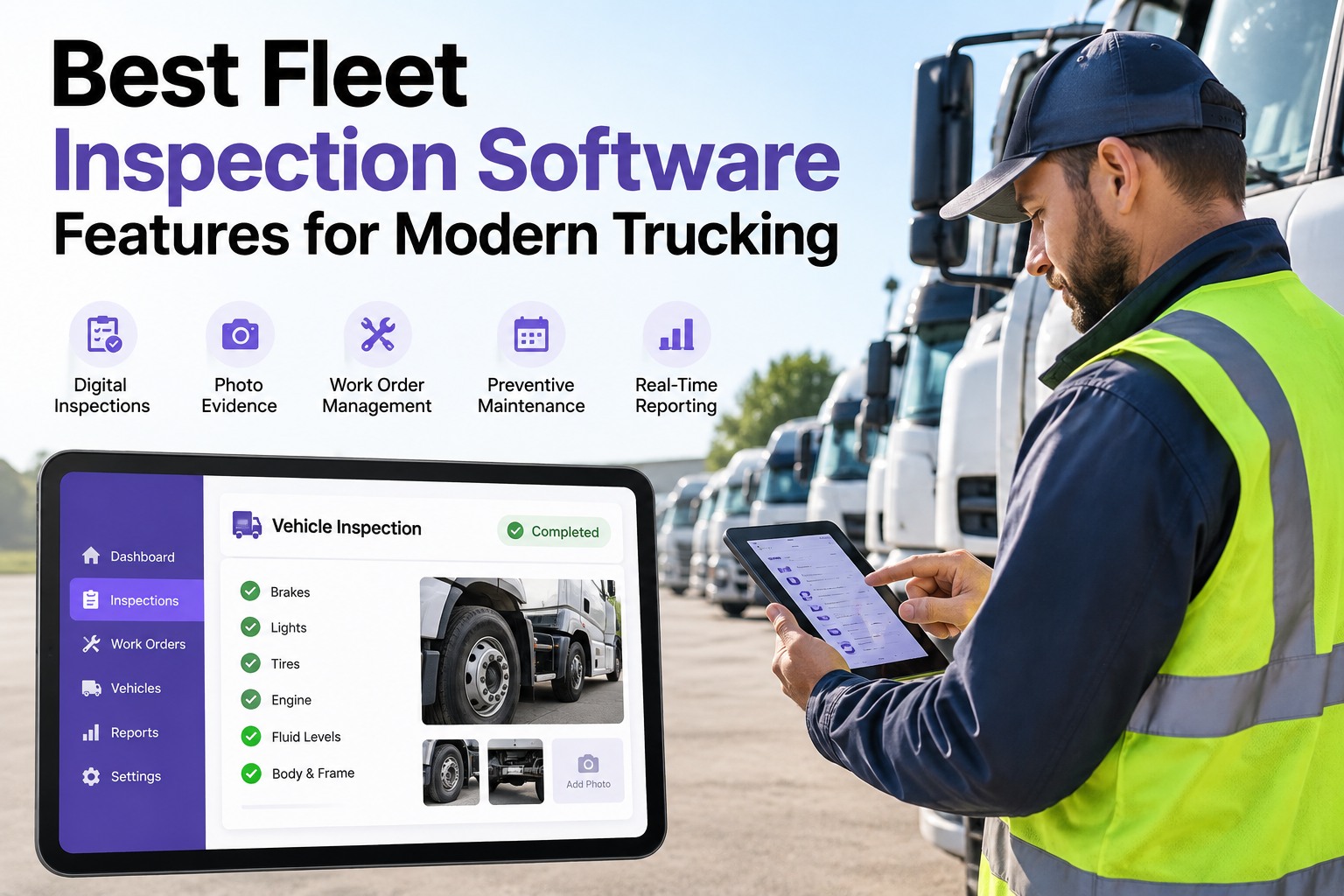
Not a scrolling form — a zone-by-zone walkaround that forces the checkpoints in FMCSA-approved order. New drivers pass their walkaround the same way they'll pass their CDL exam.
02
📷
Photo capture at defect
Camera opens at the failed checkpoint, photo attaches to the exact line, timestamp and asset tagged automatically. The shop sees the defect before the truck arrives.
03
⚖️
Auto-graded defects
Every defect classified against FMCSA thresholds the moment it's logged — OOS or schedulable, no dispatcher judgment call, no debate at the yard gate.
04
🔧
Defect-to-work-order routing
Failed checkpoint becomes an assigned work order automatically, routed to the terminal's shop queue with parts, mechanic, and bay time visible from the driver's callout.
05
📊
Live fleet condition dashboard
Every DVIR reflected on submit — green ready, amber schedulable, red OOS. Dispatch sees the truck's status before assigning a load; HQ sees every terminal rolled up.
06
📅
PM scheduling & forecast
Triggers per truck class — miles, hours, calendar — with A/B/C tiered cadence and a 4-week rolling forecast the shop and dispatch can plan against together.
07
🔁
Repeat-defect flagging
Same defect on the same asset ≥3× in 30 days auto-flags for root-cause review. Stops the shop from band-aiding the symptom while the underlying issue keeps failing.
08
✍️
Signed eDVIR trail
Driver, mechanic, next-driver signatures on every report per §396.13. 2026 eDVIR-compliant, retained per §396.11, exportable for any date range on demand.
09
🏢
Multi-terminal roll-up
Each yard runs its own inspections and shop queue; HQ sees them side by side. One outlier terminal jumps out immediately without a single spreadsheet consolidation.
10
📉
Weekly KPI report
Monday-morning summary: PM compliance, overdue count, planned-ratio, DVIR-to-WO time, repeat-defect rate. Green/amber/red thresholds; every red-band asset named.
Digital Clipboard vs. Working Platform
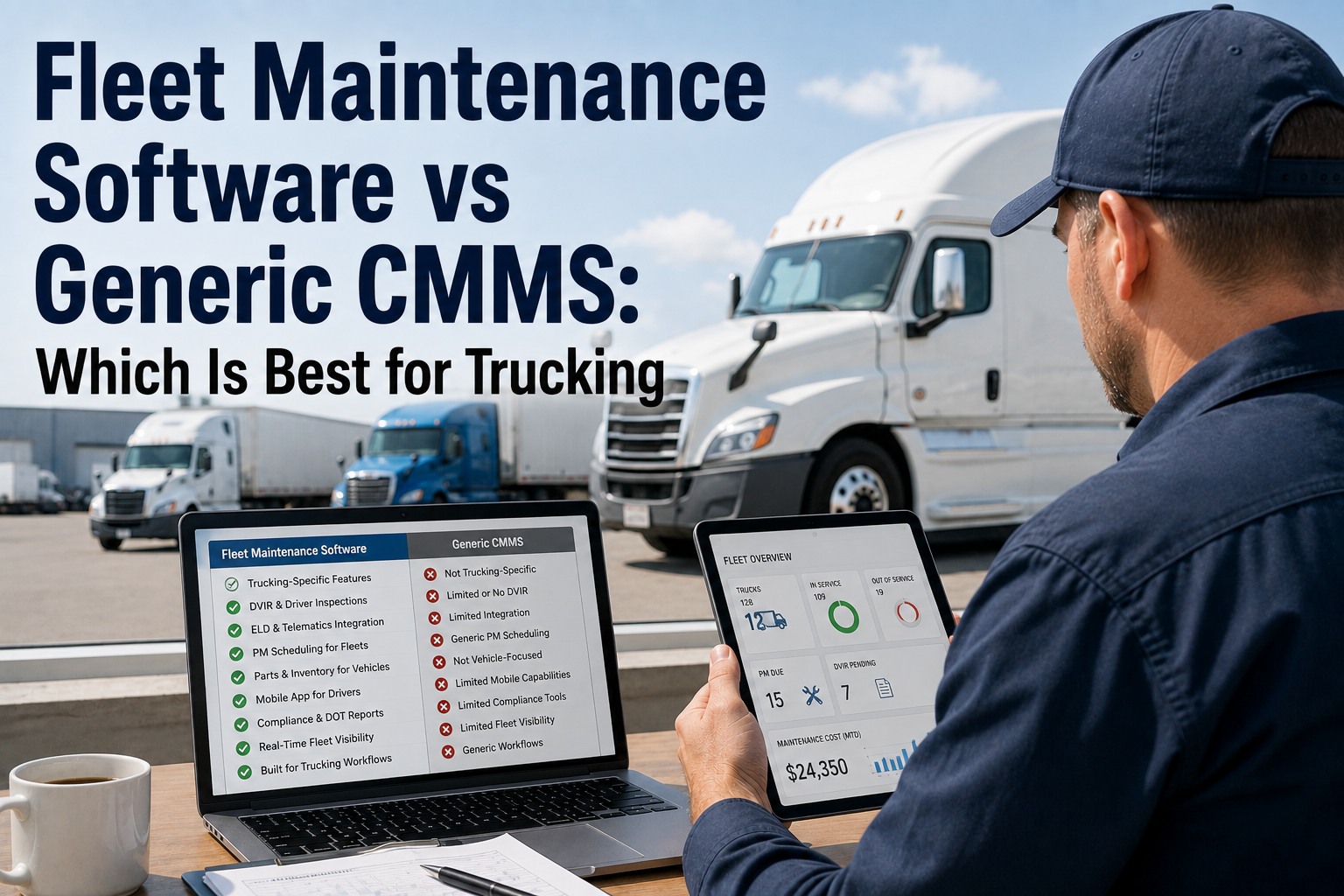
The easiest way to tell whether a fleet inspection tool is worth buying is to compare what happens after the driver taps "submit." A digital clipboard files a PDF; a working platform starts a chain of actions. Same driver input, entirely different downstream outcome.
📄
Digital Clipboard
- Filed as a PDF, emailed to a maintenance inbox
- Defect described in one line; no photo
- Dispatcher decides if truck is dispatchable
- Work order created manually — hours later or next day
- PM tracked in a separate spreadsheet
- Weekly report built by hand from PDFs
- Audit trail lives in different folders
⚡
Working Platform
- DVIR reflected in the condition dashboard on submit
- Photo attached at the checkpoint, timestamp locked
- Defect auto-graded OOS or schedulable
- Work order opens automatically with photo attached
- PM triggers, tiers, forecast all in one place
- Weekly KPI report writes itself every Monday
- Signed eDVIR trail retained & exportable on demand
The Feature Layers — How They Fit Together
The features aren't a shopping list — they're four layers, and each one only earns its keep if the layer below it works. This is the diagnostic: if the driver capture is bad, no dashboard fixes it; if the workflow doesn't close the loop, no report matters.
L4
Reporting & Audit
Weekly KPI report · signed eDVIR retention · export on demand — the compliance and management layer
L3
Visibility & Planning
Fleet condition dashboard · terminal roll-up · PM scheduling & forecast — the operations layer dispatch and HQ actually use
L2
Workflow & Routing
Auto-graded defects · work order routing · repeat-defect flagging — the connective tissue that turns a report into an action
L1
Driver Capture
Guided mobile DVIR · photo at defect · signature chain — the foundation everything else stands on
The stack matters Software that sells L3 dashboards without L1 capture is the reason so many fleets bought platforms that never got used — the drivers filed paper anyway, so the dashboard stayed empty. Buy from the bottom up: get the walkaround right, and every layer above it starts working automatically.
Buyer's Checklist — 12 Questions Before You Sign
These are the questions to ask any vendor before a demo turns into a purchase order. They're not marketing questions; they're workflow questions. A platform that can't answer them plainly usually can't do them at all.
Q1
Is the mobile DVIR guided or free-form?
A guided flow forces the CDL zone order; a free-form list lets drivers skip zones. Guided is the correct answer.
Q2
Does a photo attach to the exact checkpoint that failed?
"Attach a photo somewhere in the report" is not the same as "attached to the line the shop reads."
Q3
Are defects auto-classified as OOS or schedulable?
If a dispatcher has to judge each defect, you'll still make the wrong call under time pressure.
Q4
Does the defect become a work order automatically, or manually?
Manual creation is where fleets lose 4–24 hours per defect. Automatic routing is table stakes.
Q5
Can dispatch see the truck's condition before assigning a load?
Green/amber/red visible in dispatch's own view — or dispatch will keep making phone calls to the yard.
Q6
Does the PM schedule support miles, hours, and calendar triggers per truck class?
One-trigger platforms under-service vocational trucks and over-service line-haul ones every time.
Q7
Is there a rolling 4-week PM forecast the shop can see today?
One-week visibility means missed peaks, expedited parts, and PMs slipping into next month.
Q8
Does the system flag repeat defects automatically?
Same defect ≥3× in 30 days is the earliest signal of a chronic problem — the software should surface it, not you.
Q9
Is the eDVIR fully 2026 rule-compliant?
Electronic report meeting §396.11, with the three-signature chain per §396.13. Yes or no.
Q10
Can HQ roll up every terminal into one view without terminal-side extra work?
If terminal managers file extra reports for HQ, they'll stop doing it within a quarter. The roll-up should be automatic.
Q11
Does the weekly KPI report generate itself?
If someone has to build the report every Monday, someone will skip a week when they're busy.
Q12
Is a full audit export (date range, terminal, KPI) available on demand?
DOT auditors don't schedule around your report-building day. Export should be one click.
Every Feature on This Page, in One Platform
Truck Inspection & Maintenance Management Software delivers the full stack — guided mobile DVIR at the driver's phone, auto-graded defects, work order routing, live fleet condition dashboard, PM scheduling and forecast, repeat-defect flagging, and a signed 2026-compliant eDVIR trail — all connected so the report a driver files at 6 a.m. moves the whole workflow before mid-morning.
Red Flags That Signal a Digital Clipboard
Some vendor language sounds like a working platform but describes a digital clipboard. If a demo leans on these phrases, ask harder follow-ups before you sign.
🚩
"Fully customizable inspection form"
Translation: no guided flow. You get a blank form and have to build the whole walkaround yourself.
🚩
"Integrates with your existing maintenance system"
Translation: it doesn't do maintenance. You're buying a form; the workflow lives somewhere else.
🚩
"Generates a PDF report at end of inspection"
Translation: the output is a document, not an action. Nothing downstream happens automatically.
🚩
"Real-time reporting available"
Ask when "real-time" is measured. If it's a nightly refresh, that's the opposite of what dispatch needs.
Frequently Asked Questions
What size fleet does inspection software make sense for?
Anywhere above about 5 trucks the ROI starts to show, and by 15 trucks it's usually a decision fleet managers regret not making sooner. Under 5 trucks, a fleet manager can hold the schedule and the defects in their head — above that, the workflow starts leaking, PMs slip, and the paper trail gets thin exactly when DOT scrutiny goes up. Our software is free for up to 3 trucks specifically so a small fleet can build the habit before it grows.
Start free with up to 3 trucks
Do we have to replace our existing telematics or maintenance system?
Usually not — inspection software works alongside telematics (GPS, ELD, driver behavior) rather than replacing them. Telematics tell you where the truck is and how it's driven; inspection software tells you whether it's safe and legal to move. Most fleets keep their existing GPS provider and add the inspection layer on top. If you already have a separate maintenance system, our software can either replace it or feed into it, depending on how deep the existing setup is.
Contact us to see how it fits your current stack
How long does the rollout to drivers actually take?
The mobile app itself takes about ten minutes of orientation per driver — the guided flow is intuitive enough that most drivers finish their first digital walkaround unassisted. The full-fleet cultural rollout usually runs two to four weeks; that's not the software, it's the habit change from paper to phone. The fleets that go fastest run one training day per terminal, keep paper available as a backup for the first week, then retire it. Photo-based defect logging is what usually flips the skeptics — they see the shop respond faster and they stop asking for the clipboard back.
Start free and roll one terminal in a week
What separates the "best" platform from a "good enough" one?
The gap is usually in the workflow, not the form. A "good enough" platform digitizes the DVIR and stops there — a driver files the report, a manager can pull it up later. The best platforms close the loop: the defect becomes a work order, the work order becomes a scheduled repair, the repair updates the fleet condition dashboard, the whole thing lands in the weekly KPI report. If the vendor can walk you through that entire chain live in a demo, they've built a platform; if they can only show you the form, they've built a clipboard.
Contact us for a walk through the whole workflow, not just the form
Guided Capture · Auto-Routed Workflow · Signed Trail
Buy the Platform, Not the Clipboard
Truck Inspection & Maintenance Management Software is built around the ten features that decide whether an inspection tool actually changes how the fleet runs — guided mobile DVIR, photo-backed defects, auto-graded classification, work order routing, live dashboard, PM scheduling and forecast, repeat-defect flagging, signed eDVIR, multi-terminal roll-up, and a weekly KPI report that writes itself. See it on your own trucks before you commit.
No credit card required. Free for up to 3 trucks. Built for FMCSA-compliant fleets.