Here's a scene every fleet operator knows. A technician closes a major repair on Tuesday. The parts, the labor hours, the outside-vendor invoice — all captured in the maintenance system. Then someone in the office spends part of Thursday retyping those exact numbers into QuickBooks, line by line, and still fat-fingers a total. The costs don't surface in a financial report for weeks, so procurement makes budget calls on stale data and the CFO asks about a variance nobody can explain. That gap between the wrench and the ledger is pure waste — real money disappearing into a process that shouldn't exist. Connect your books to your maintenance free. Integrating QuickBooks with Truck Inspection & Maintenance closes that gap: every completed work order becomes an itemized invoice, every cost type posts to the right account in your chart of accounts automatically, and cost-per-mile stops being a month-end reconciliation guess and becomes a live number. This guide breaks down exactly what flows between the two systems and why fleets call it their highest-ROI switch.
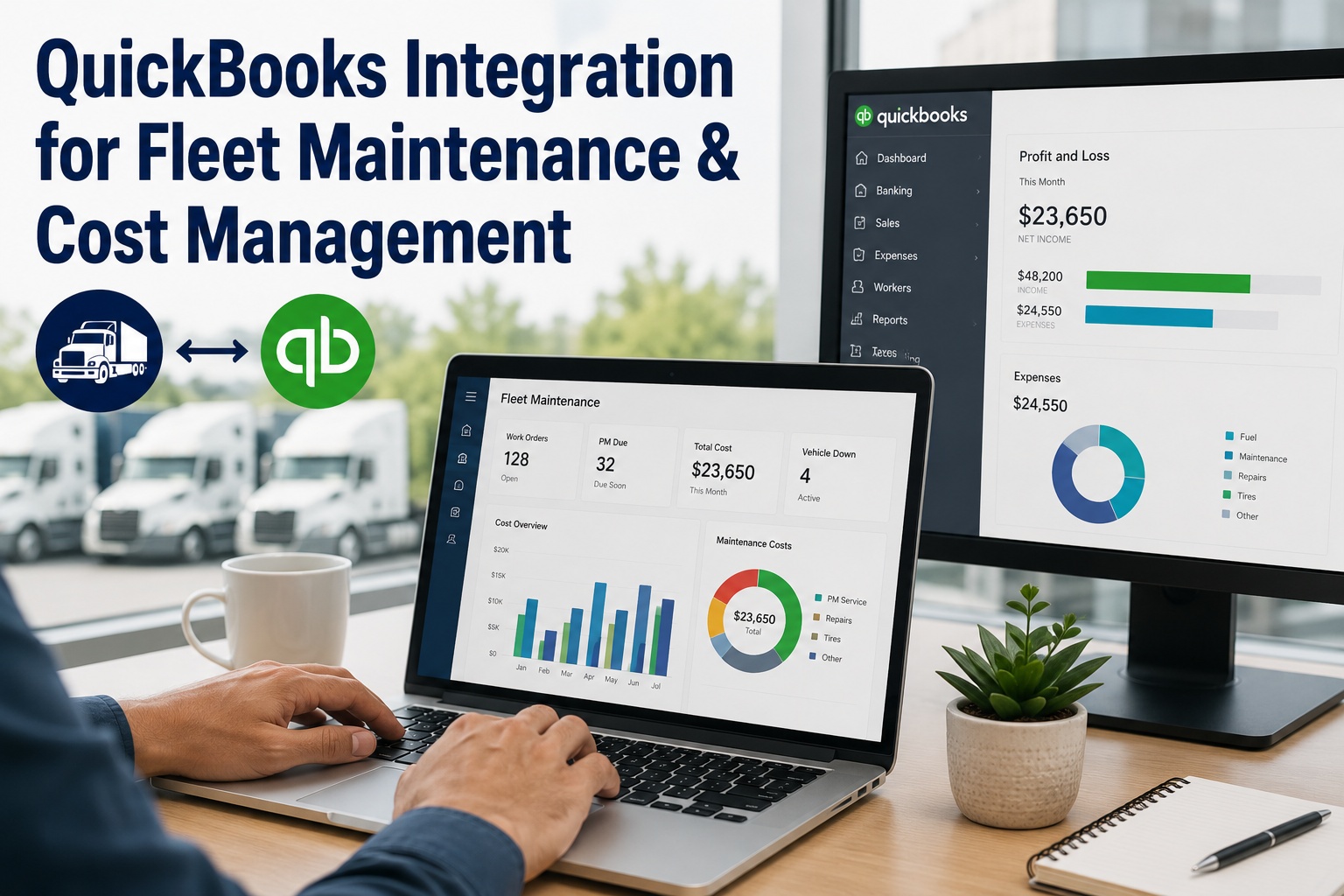
QuickBooks Integration for Fleet Maintenance & Cost Management
End the double entry. Truck Inspection & Maintenance pushes every work order, parts purchase, labor hour, and vendor invoice straight into QuickBooks — mapped to the right accounts, itemized, and audit-ready — so your books stay current with zero manual typing.
The Hidden Cost of Two Separate Systems
When maintenance and accounting live in different worlds, the tax is paid three times over — in wasted hours, in errors, and in decisions made on numbers that are already weeks old. Automation erases all three.
One Work Order Becomes One Invoice
This is the core of the integration. The moment a work order is marked complete, it doesn't sit waiting to be retyped — it transforms into a fully itemized QuickBooks entry, every line intact, mapped and posted on its own.
Every Cost Type Finds Its Account
Raw maintenance costs are useless in the books until they land in the right place. The integration acts as a router — mapping each kind of cost to the correct general-ledger account by your own rules, so the books stay clean without anyone sorting entries by hand.
What Flows Both Ways
The sync is bi-directional and covers the full financial footprint of maintenance — every transaction carrying its ID, GL code, and supporting documentation for a complete audit trail.
Completed work orders post as itemized invoices with parts, labor, and time — the moment they close.
Parts drawn from stock update both maintenance inventory and QuickBooks inventory value together.
Purchase orders and vendor bills import, match to work orders, and post to A/P with 3-way validation.
Fuel transactions and operating expenses post as categorized entries for accurate P&L reporting.
Technician labor hours convert to payroll expense entries against the right cost center.
Every cost, invoice, and payment on each asset's ledger — books and maintenance finally in sync.
Start free →Cost-Per-Mile, Live Instead of Last Month's Guess
Because maintenance costs and odometer data live together, Truck Inspection & Maintenance calculates true cost-per-mile, cost-per-hour, and total cost of ownership per vehicle in real time. Set budgets by vehicle or cost center, get alerts as spend nears a limit, and walk into every budget review with current numbers — not a reconciliation estimate.
Live in Under an Hour
This isn't an IT project. It's built for fleet managers, not developers — no API keys to configure, no custom development. Four steps and the next work order your team closes posts itself.
You Stay in Control of What Posts
Automation doesn't mean losing oversight. The integration puts guardrails between the shop floor and your books, so finance keeps the final say on what matters.
Set spend limits — say, any repair above $2,000 — that require a manager sign-off before the cost ever hits your accounting system.
Generate invoices from work orders, then review and approve them yourself before they go to a customer — nothing posts blindly.
Every transaction links back to its work order, technician notes, parts, and vendor docs — one-click expense reports for any audit.
Why Fleets Call It Their Highest-ROI Switch
Connecting the books to the shop floor is rarely the flashiest project on the list — and reliably the one operators wish they'd done sooner. The payback is fast and it compounds.
Frequently Asked Questions
Both QuickBooks Online and QuickBooks Desktop are supported, with bi-directional data synchronization through the official QuickBooks connection. You authorize the link using your existing accounting login, so there's nothing to install or configure at the API level. The same integration approach extends to other major accounting platforms if you run them, but for the millions of fleets on QuickBooks the connection is native and set up in minutes. Start a free trial to connect your books.
The integration syncs work order labor costs, parts and inventory expenses, fuel purchases, vendor invoices, outside-repair costs, and purchase orders. Each transaction flows in with its amount, date, GL code, cost center, tax information, and supporting documentation. Labor hours convert to payroll expenses, parts purchases update inventory accounts, and service invoices post to accounts payable — all mapped to the correct general-ledger accounts by rules you set, so nothing has to be categorized by hand. See the full sync in a demo.
No. The integration is designed for fleet managers and administrators, not developers. You connect by selecting QuickBooks from the integrations menu, authorizing with your existing login, and mapping your cost categories using preset templates or your own chart-of-accounts structure. There are no API keys to configure manually and, in most cases, no custom development required. Most fleets complete the entire setup in under an hour, and from the next work order your team closes, costs begin posting automatically. Start free and connect in under an hour.
Yes, and that control is a core part of the design. You decide which costs sync automatically the moment a work order is completed and which require finance approval before posting to your accounting system. A common setup is a spend threshold — for example, repairs above $2,000 need a manager's sign-off before hitting the books — while routine costs flow through untouched. You can also generate invoices from completed work orders and review and approve them before they're sent to customers. So automation handles the volume, but you keep the final say on anything that matters. Start free and set your own guardrails.
Because every maintenance cost posts in real time and sits alongside odometer and engine-hour data, the platform calculates true cost-per-mile, cost-per-hour, and total cost of ownership for each vehicle continuously — not weeks later when the books close. You can set budgets by vehicle, department, or cost center and get instant alerts when spend approaches a limit, and because the data combines operational and financial detail, you can spot which assets cost the most to run and make repair-versus-replace decisions on current numbers. For budget reviews and audits, the figures are always live rather than last month's reconciliation estimate. Start free and see live cost-per-mile.
Let the Wrench and the Ledger Finally Talk
Truck Inspection & Maintenance connects to QuickBooks Online and Desktop to turn every work order, part, labor hour, and vendor invoice into a categorized, audit-ready entry in your books — automatically, in real time, mapped to the right accounts. Kill the double entry, close faster, and always know your true cost per mile.