Switching fleet software is rarely the hard part — moving years of tractor and trailer history into it is. Your legacy data is scattered across spreadsheets, an old system, and a few people's memory: tractors tracked one way, trailers another, the same unit entered twice under two IDs, maintenance history half-filled. Pour that straight into a new platform and you've just rebuilt the mess with a cleaner interface. A good migration isn't a copy-paste — it's an audit, a cleanup, a field-by-field mapping, a phased move, and a validation pass that proves nothing was lost. This guide walks that pipeline for a mixed tractor-and-trailer fleet, the duplicates and mapping traps specific to it, and how to land clean records — with Truck Inspection & Maintenance Management Software (TIM) on the receiving end. Start free and migrate your fleet records into TIM.
TIM · Fleet Data Migration
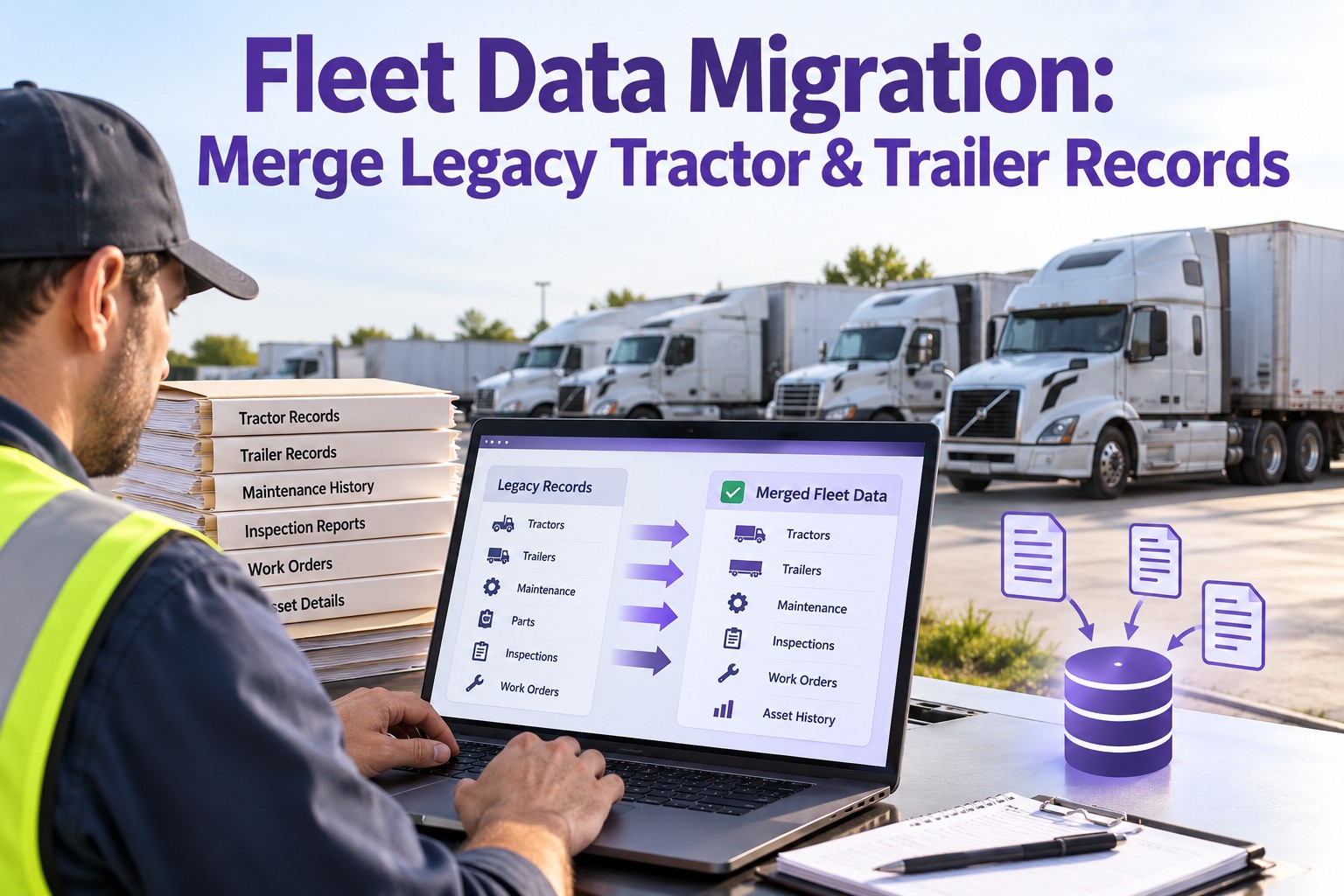
Fleet Data Migration: Merge Legacy Tractor & Trailer Records
Years of asset and maintenance history live in spreadsheets and a legacy system, with tractors and trailers tracked separately, duplicates hiding, and gaps everywhere. Copy it over as-is and you inherit every problem on day one. A real migration audits, cleans, maps, moves in phases, and validates — so what lands in the new system is accurate, de-duplicated, and whole. TIM is built to receive a mixed fleet's records cleanly, each tractor and trailer as its own asset with its history intact.
The migration pipeline · five phases
1Audit
→
2Cleanse
→
3Map
→
4Move
→
5Validate
Skip a phase and the garbage lands in the new system — looking official.
The Five Phases, Start to Finish
A migration is a pipeline, and each phase has a job the next one depends on. Run them in order and clean records come out the end; shortcut any one and the problems surface after go-live, when they're hardest to fix.
01
Audit the legacy dataInventory what you actually have — every tractor, trailer, maintenance record, PM schedule, and parts entry across spreadsheets and the old system. Assess quality and flag what's incomplete, stale, or wrong before you move anything.
02
Cleanse before you moveStandardize formats, fill the gaps worth filling, and merge the duplicates. Cleaning in the old data is far cheaper than cleaning in the new system — and migrating dirty data just makes the mess permanent.
03
Map the fieldsMatch every legacy field to its home in the new platform — asset ID, VIN, make, model, year, meter, history. Where the structures differ, define the transformation so nothing is dropped or mislanded.
04
Move in phasesMigrate in stages, not one big-bang dump — a pilot group first, then the rest. Operations keep running, and any issue is caught on a small batch instead of the whole fleet.
05
Validate everythingVerify counts, spot-check records, confirm history attached to the right asset. Validation is what catches a problem before go-live instead of a driver finding it on the road.
Every phase feeds the next — and validation is the one nobody should skip. Contact our team to run a phased, validated migration into TIM.
Tractors and Trailers Are Different Assets — Map Them That Way
The migration trap unique to a mixed fleet is treating tractors and trailers as one thing. They're separate assets with separate histories, separate PM, and separate identifiers — and the merge has to keep them that way while linking the records that belong together.
TRACTOR
- Its own asset ID and VIN
- Engine, drivetrain, and mileage history
- Its own PM schedule and service record
- Often tracked in the primary legacy system
TRAILER
- Its own asset ID and VIN
- Brakes, lights, coupling, and annual-inspection history
- Its own PM and periodic-inspection record
- Often tracked separately — or in a spreadsheet
Each unit keeps its own record and history; the migration links which trailer runs behind which tractor without collapsing two assets into one. Getting this wrong is how a trailer's inspection history ends up on a tractor — or vanishes.
The Three Things That Break a Migration
Most migrations don't fail on the move itself — they fail on what wasn't cleaned first. These three problems, each fixable before go-live, are what turn a fresh system into the old mess with a new login.
⧉
Duplicate assets
The same tractor or trailer entered twice under two IDs splits its history in half and double-counts the fleet. Merge duplicates in the audit, before they're carried across.
⌀
Orphaned history
Maintenance records that don't match a clean asset ID land attached to nothing — or the wrong unit. Mapping the IDs first keeps every repair tied to the asset it belongs to.
⊘
Migrated garbage
Blank fields, stale records, and inconsistent formats poured straight in look official in the new system but are just as useless. Cleanse first, or you make the problem permanent.
The Receiving System Decides How Clean the Landing Is
A migration is only as good as what it lands in. TIM takes a mixed fleet's records as structured assets — each tractor and trailer its own unit with its own VIN, meter, PM schedule, and full maintenance history, and the tractor-trailer links preserved. Bring the cleaned, mapped data in a phase at a time, validate each batch against the source, and go live knowing the history is intact and the duplicates are gone. The new system starts accurate instead of inheriting years of drift.
What to Bring Across — and What to Leave Behind
Not everything in the old system deserves a seat in the new one. Migrating less, but clean, beats migrating everything. Here's what earns the move and what to archive instead.
BRING ACROSS
- Active tractors and trailers as assets
- VIN, make, model, year, current meter
- Maintenance and repair history per asset
- Open work orders and PM schedules
- Parts and warranty records still in play
ARCHIVE INSTEAD
- Retired or sold units no longer in service
- Duplicate or superseded records
- Stale data no one references
- History kept only for occasional lookup
- Anything that fails the audit for quality
Archived data isn't deleted — it's set aside for reference, keeping the live system lean. Start free and bring only the records that matter into TIM.
The Validation Pass — Prove Nothing Was Lost
Validation is the phase that separates a migration you can trust from one you hope worked. Before go-live, these checks confirm the move landed clean.
01
Count matchThe number of tractors, trailers, and records in the new system matches the cleaned source — no silent drops.
02
History attachedSpot-check that each asset's maintenance history came across and is tied to the right unit, not orphaned.
03
No duplicates leftConfirm the merges held and no tractor or trailer appears twice under a stray second ID.
04
Links intactCheck that tractor-trailer relationships and PM schedules transferred and point where they should.
How TIM Runs It
A Clean Landing for Your Fleet's History
TIM is built to be the clean end of a migration — structured to take a mixed tractor-and-trailer fleet and keep every asset's record whole.
Separate asset recordsEvery tractor and trailer is its own unit with its own VIN, meter, PM, and history — no collapsing two assets into one.
Tractor-trailer linksThe relationships between units are preserved, so which trailer runs behind which tractor stays on record.
History per unitMaintenance and repair history lands attached to the right asset, so the record is continuous from day one.
Phased intakeBring records in a batch at a time and validate each before the next — operations never stop.
PM schedules carriedPreventive schedules transfer with the asset, so nothing comes due unnoticed right after the move.
Clean from day oneWhat lands is the cleaned, de-duplicated, mapped data — the new system starts accurate.
Frequently Asked Questions
What's the biggest mistake in fleet data migration?
Migrating dirty data. The temptation is to copy everything from the old system into the new one to save time, but that just carries every duplicate, blank field, and stale record across — and now they look official in a clean interface. The fix is to audit and cleanse before you move: inventory what you have, standardize formats, fill the gaps worth filling, and merge the duplicates in the source data first. Cleaning before the move is far cheaper than cleaning after, when the bad records are already live and people are working from them.
Start free and land cleaned records in TIM.
How do I handle duplicate tractor or trailer records?
Catch and merge them in the audit phase, before migration. Duplicates happen when the same unit was entered twice — under two asset IDs, or once in a spreadsheet and once in the old system — and if they cross over unmerged, that asset's history is split in half and your fleet count is wrong. The approach is to identify duplicates by VIN or other stable identifier, decide which record is authoritative, merge the history into it, and retire the duplicate. Then validate after the move that no asset appears twice under a stray second ID.
Why map tractors and trailers as separate assets?
Because they are separate assets with separate histories, PM schedules, and compliance requirements. A tractor has its engine, drivetrain, and mileage; a trailer has its brakes, lights, coupling, and its own annual inspection. If a migration collapses them into one record, a trailer's inspection history ends up attached to a tractor or disappears entirely, and you lose the ability to track or prove each unit's maintenance. The right approach keeps each as its own asset and links which trailer runs behind which tractor, rather than merging two things that only share a trip.
Should I migrate everything or only part of it?
Migrate less, but clean. Bring across what the day-to-day operation needs — active tractors and trailers as assets, their VIN and meter data, maintenance and repair history, open work orders, PM schedules, and parts and warranty records still in play. Archive the rest rather than migrating it: retired units, superseded records, stale data no one references, and anything that fails the audit for quality. Archiving keeps that history available for occasional lookup without cluttering the live system, so the new platform stays lean and the records in it are the ones that matter.
Why migrate in phases instead of all at once?
Because a phased move keeps operations running and catches problems small. If you move a pilot group first — a subset of tractors and trailers — you can validate that batch end to end before committing the whole fleet, and any mapping error or lost history shows up on a handful of units instead of all of them. A big-bang migration, by contrast, puts the entire fleet at risk at once and gives you no chance to correct course mid-way. The phased approach also means the business never goes dark waiting for one giant cutover to finish.
Audit · Cleanse · Map · Move · Validate
Migrate the History, Not the Headache
A fleet's data is worth more than its software — it's years of maintenance history, asset records, and compliance proof. Move it carelessly and you lose or scramble it; move it through a real pipeline and it comes out clean. Audit what you have, cleanse before you touch the new system, map tractors and trailers as the separate assets they are, migrate in phases, and validate that nothing was lost. TIM is built to receive it clean, so your fleet's history lands whole and the new system starts accurate.
No credit card required · Free for up to 3 trucks · Separate tractor & trailer records, history per unit, and phased intake built in